33
TigerStop
TigerStop
TigerStop
TigerStop
30in
26.5in
1 0
2 0
3 0
4 0
5 0
6 0
7 0
30
START
1 0
2 0
3 0
4 0
5 0
6 0
7 0
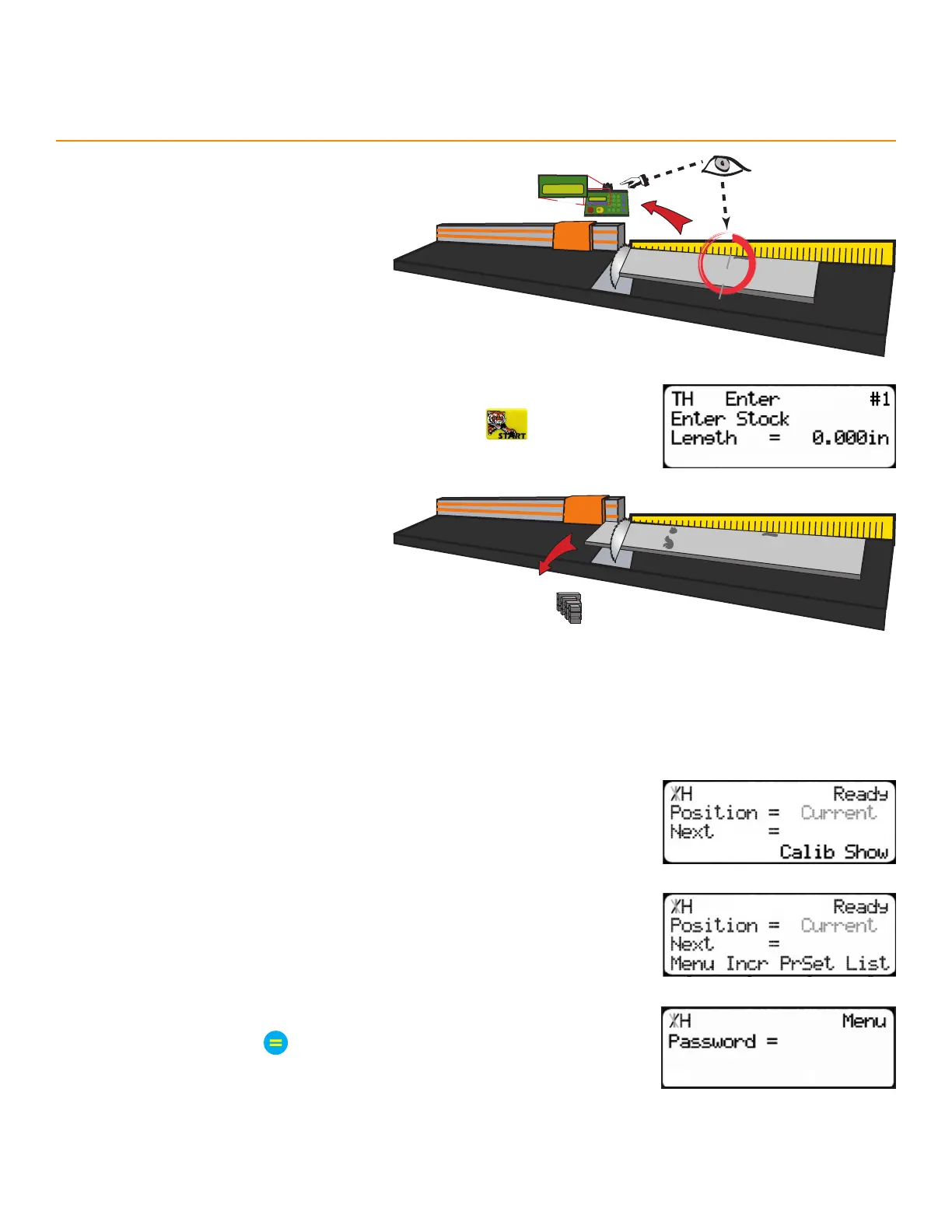
9. Measure up to the next defect.
• If no defect is present, measure
up to the end of the material.
10. Enter the measurement from step 9 and then press
11. TigerStop optimizes the material up
to the defect and uses as much of
the material as possible.
12. Repeat steps 8-11 while processing
the material. If there are more parts
to cut, start at step 1 with a new
piece of material.
Removing the quick calibration button from the Ready Screen prevents operators from changing the calibration
without a password.
diSable quicK calibraTion
1. From the Ready Screen, press the [Show] soft key.
2. Press the [Menu] soft key.
3. TigerStop requires a password to access all menu options. Enter the
password and press
• By default, the TigerStop password is the serial number.
TigerStop
®
Standard Controller Basic Functions



 To Next Page