CONFIGURE MODULE LAYOUT
22
Requires active mobile data connection
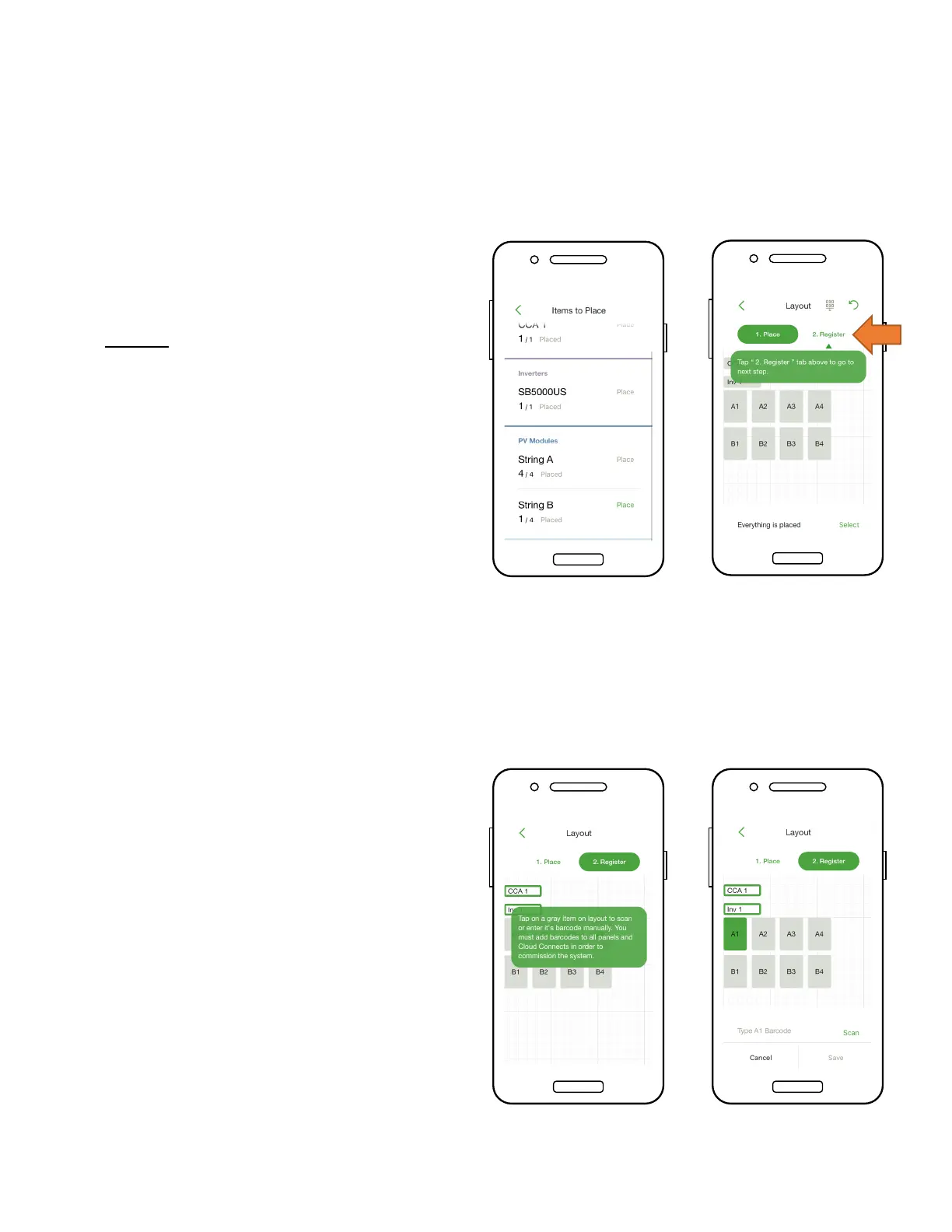
• Place modules in the Layout
grid according to their
physical placement on site
• Note: Matching the physical
map of the system is optional
but improves its appearance
in the monitoring portal and
makes maintenance easier
• Tap and drag to change the
position of a placed item
• Tap ‘Register’ to begin
entering the TS4 barcodes
• Place the CCA by tapping on
a position on the Layout grid
• Tap ‘Place’ next to an
equipment type to place it on
the grid
• Repeat for all CCAs and
inverters


 To Next Page