CONFIGURE NETWORK SETTINGS –
CONNECT CCA TO INTERNET
COMMISSION THE TS4-A UNITS –
RUN DISCOVERY
24
Requires smartphone – CCA connection
Requires smartphone – CCA connection
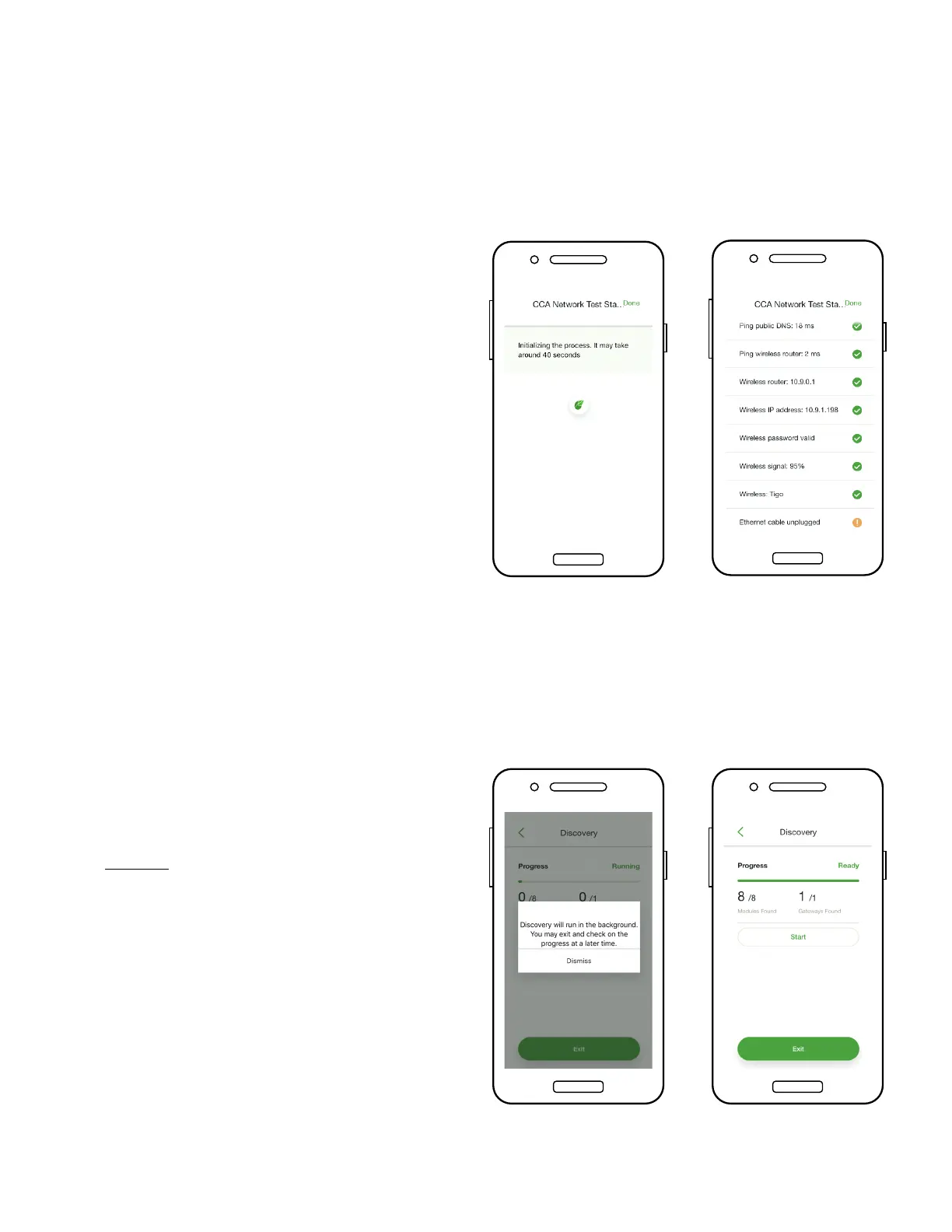
• The Network Test checks the
Internet connection of the
CCA
• The test performs a series of
checks that can be used for
troubleshooting the network
connection
• Tap ‘Done’ to continue
• Tap ‘Next’ in the ‘CCA
Network Settings’ to go to
‘Discovery’
• Note: Before starting
Discovery, all site equipment
and TS4 barcodes should be
input into the app. Begin the
process no later than an hour
before sunset.
• Tap ‘Start’ to run Discovery
• When Discovery is complete,
system production data can be
viewed online and in the app


 To Next Page