CONNECT CCA TO SMARTPHONE
23
No mobile data connection required
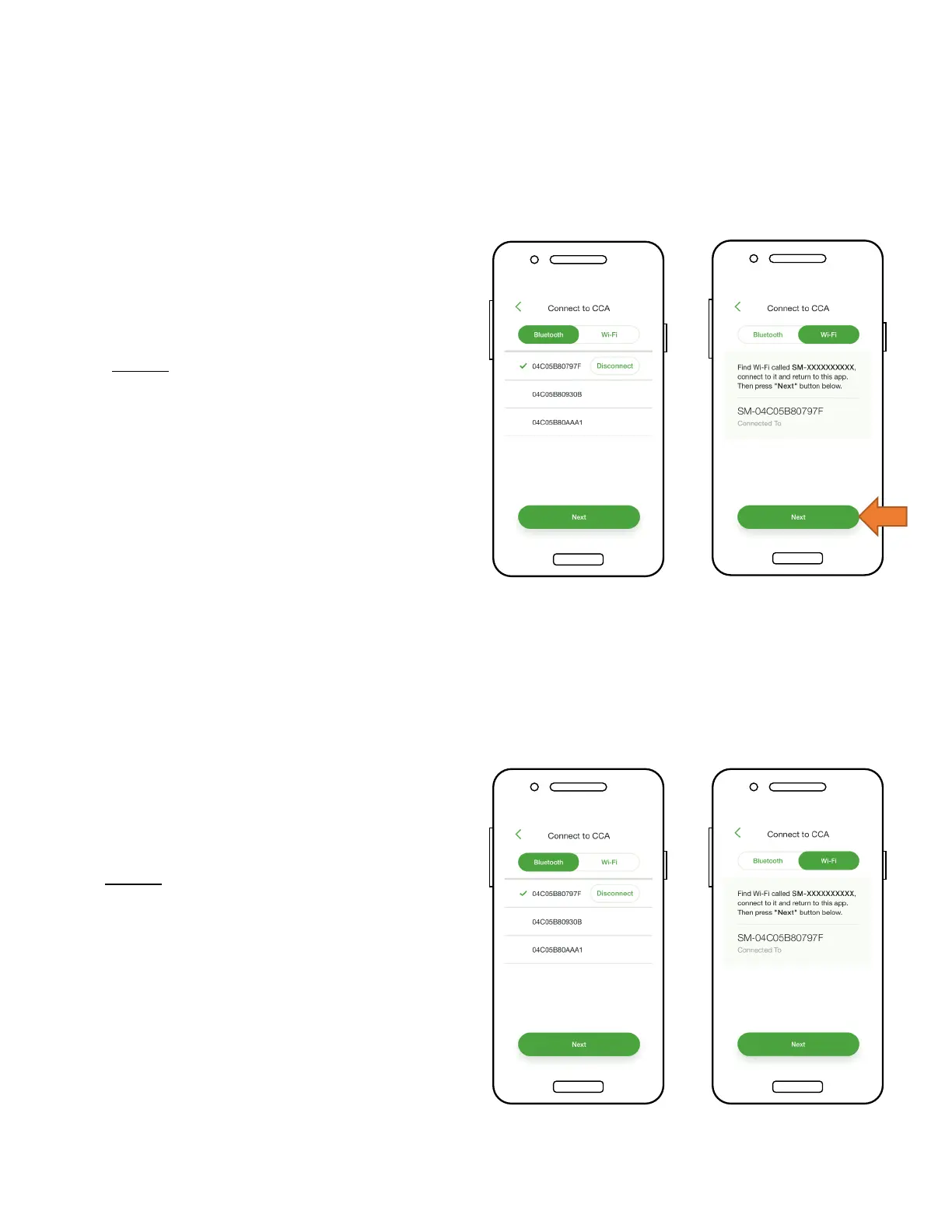
• To connect the Smartphone to
the CCA via Bluetooth, tap the
serial number of the CCA you
wish to connect with
• Note: Use the Tigo Smart App to
pair with the CCA, instead of the
phone’s Bluetooth pairing screen
• Once connected to the CCA,
tap ‘Next’ to continue
• To connect the smartphone to
the CCA via Wi-Fi, choose the
CCA’s Wi-Fi connection in the
phone’s settings
• Note: Using the Wi-Fi connection
disconnects the smartphone
from the local Wi-Fi
• Once connected to the CCA,
tap ‘Next’ to continue


 To Next Page