2.6 Revised 07/12/11
UNPACKING,
SYSTEM DESCRIPTION
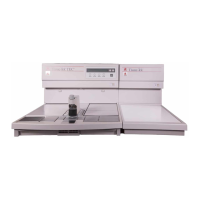
HEAT Key – turns the heating components of
the Embedding Module ON or OFF.
SET key – allows operator to enter the SETUP
mode (See Section 3, Set Up).
EXIT key – allows to return to the previous
menu item without saving the changes made in
the SETUP mode.
+ and – keys – increase or decrease numerical
values and add or delete days when in the
SETUP mode. Holding these keys for more than
2 seconds enables rapid scrolling.
ENTER key – when pressed, stores data into
memory in the SETUP mode.
Display Adjustment Wheel – controls the con-
trast for the display.


 To Next Page