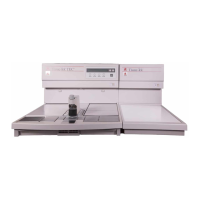
CRYO MODULE
ERROR
CONDITION CAUSE SOLUTION
Alarm (tone) sounds for Cryo Module has Turn Embedding Module power to OFF. Verify that
10 seconds or error malfunctioned or Cryo the Cryo Module is connected to the Embedding .
message appears on the Module power is OFF or Module. Turn the Cryo Module power ON. Turn the
Embedding Module is not connected to the Embedding Module power ON.
display Embedding Module If the error persists, press “SET” key. Highlight
menu item 6. ERROR LIST and press ENTER.
Record the error indication and press EXIT.
Contact Customer Support.
Cooling plate does not Power outage occurred Check to make sure:
function or compressor has
Q
the power cord is connected to a “live” outlet
malfunctioned.
Q
the connecting cable is securely attached to the
Q
Cryo and the Embedding Modules.
Q
the power switch on the front panel of the
Embedding Module is set to ON and power indica-
tor is illuminated
Q
the CRYO key on the Cryo Module control
Q
panel is ON
If the problem persists, contact Customer Support.
Cooling plate does not Cryo Module has Check to make sure:
reach set temperature malfunctioned.
Q
at least 76 mm (3 inches) of space exists between
Q
the wall and module
Q
the module is not in an area of excessive air
Q
current, direct heat or sunlight, excessive humidity,
Q
excessive particulate matter, or electrical noise
If the problem persists, contact Customer Support.
6.2 Revised 07/12/11
TROUBLESHOOTING


 To Next Page