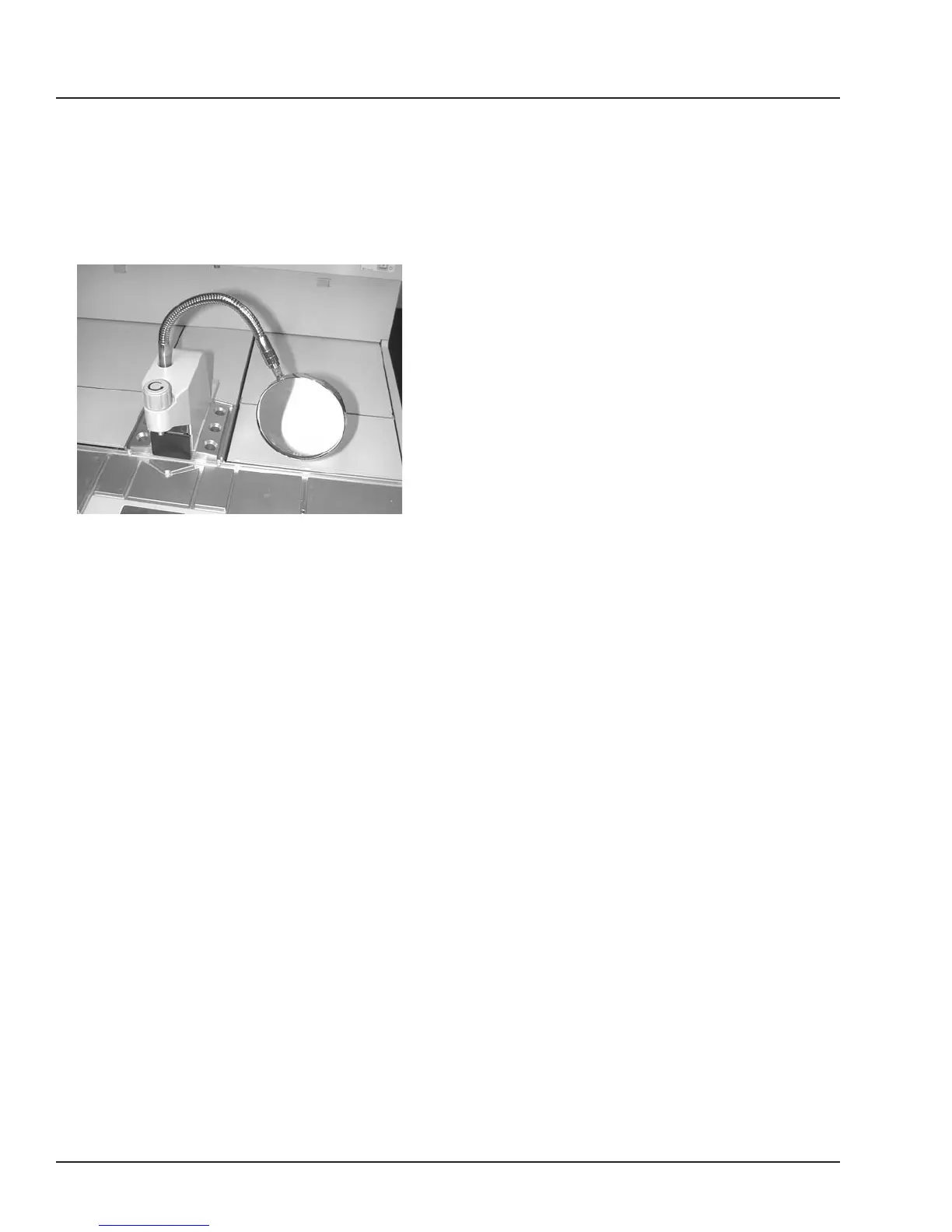
ATTACH MAGNIFYING LENS
ASSEMBLY
(sold separately, refer to Section 8)
1. Remove the screw from the top of the
paraffin dispenser.
2. Mount assembly in the threaded hole of the
paraffin dispenser. The end of the flexible attach-
ment screws directly into the hole. Tighten.
3. Adjust magnifying lens to preferred focal range
(pull lens forward and down).
CONNECT ELECTRIC FORCEPS
(sold separately, refer to section 8)
1. Connect the wire underneath the Embedding
Module control panel.
3.2 Revised 07/12/11
SET UP


 To Next Page