VERIFY PROPER INSTALLATION
AND SYSTEM FUNCTION
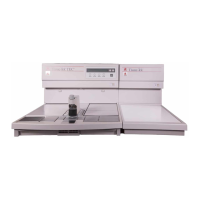
1. Set the power switch on the front panel of the
Cryo Module to ON
(
I
)
.
2. Set the power switch on the front panel of the
Embedding Module to ON(I).
The MAN indicator is illuminated.
The following appears on the LCD display:
(The time and day may be different)
If the LCD display appears dark (no characters
visible), rotate the display adjustment wheel fully
in both directions until the display characters are
easily read.
3. Press HEAT key (on Embedding Module control
panel). The following appears on the LCD dis-
play:
4. Press CRYO key (on Embedding Module control
panel).
The “CRYO IS OFF” message will disappear
from the display and the compressor will start.
If System functions properly:
Q
press CRYO key to turn off compressor (the mes-
sage CRYO IS OFF is back on the display);
Q
continue with “Set Day and Time ” procedure
(next page).
NOTE: Paraffin will not be dispensed and an audi-
ble alarm will sound if the fingerplate or the optional
foot pedal is pressed unless <READY> is displayed
on the top left end corner.
If System does not function properly:
Dial 1-800-725-8723 (U.S. Customers, only). If
located outside the U.S., contact your nearest Tissue-
Tek instrument distributor.
Revised 07/12/11 3.3
<WARMING UP> CRYO IS OFF 6:30PM WED
PLEASE WAIT.
<STAND BY> 6:30PM WED


 To Next Page