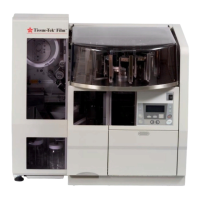
EMBEDDING
MODULE ERROR
CONDITION CAUSE SOLUTION
Paraffin will not Paraffin may not be
Q
Check that the LCD display shows <READY>
dispense molten.
Q
Check the temperature of the room; adjust
temperature if necessary.
Q
If using the automatic timer, check to verify
that the correct AM or PM “On” time is set.
Q
If using the manual mode, wait at least 4*
hours after the module is turned ON for
paraffin to liquefy and reach set temperature.
Q
Check the temperature of the paraffin
chamber. If the temperature is slightly below
the set temperature and decreases over a long
time period, the heater has failed. Contact
Customer Support.
*May take longer depending on current source and
environmental factors.
Paraffin filter may If paraffin is molten and set temperature has been
need cleaning. reached, paraffin flow may be obstructed by a
clogged paraffin filter. Refer to Section 7 for
cleaning instructions.
If the problem persists, contact Customer Support.
Power indicator/other Power outage or Check to make sure:
indicators will not Embedding Module
Q
power cord is securely connected to the
illuminate has malfunctioned.
Q
module and plugged into a “live” power outlet.
Q
the power switch on the front panel is set to ON.
If the problem persists, contact Customer
Support.
LCD display is dark Display adjustment Rotate the display adjustment wheel fully in both
wheel misadjusted. directions until the display characters are easily
read.
6.4 Revised 07/12/11


 To Next Page