MINOR REPAIR
Replacing Light Bulbs
Tools Required:
None
Light Bulbs Required:
Use product code 1553 to reorder. Two light bulbs
per package.
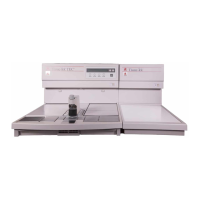
WARNING: Set the power switch on the front
panel of the Embedding Module to OFF. Unplug
the power cord. Allow module hot plate to cool to
room temperature.
1. Remove clear plastic shield protecting lights.
2. Grasp light bulb and pull downward to remove
light bulb. Repeat procedure for other light bulb
(if it also requires replacement).
WARNING: Avoid touching hot plate.
3. Grasp new light bulb and insert upwards into
socket. Repeat as required for other light bulb.
4. Plug power cord into wall outlet. Set power switch
on front panel to ON.
5. Press LIGHT key.
5. NOTE: To extend light bulb life, turn off light
when not embedding specimens.
7.6 Revised 07/12/11
CARE OF THE INSTRUMENT


 To Next Page