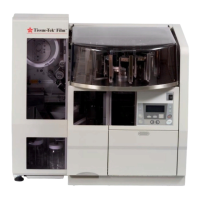
How to Report the Problem
STEP ONE
Record the following information.
Embedding Module Serial No.
Cryo Module Serial No.
Embedding Module Model No.
Cryo Module Model No.
Date of Installation
STEP TWO
Complete the following “Preservice Checklist”
for the particular module that has malfunctioned.
EMBEDDING MODULE
1. Is the power cord plugged in? Yes No
2. Is the power switch on the Yes No
front panel set to ON?
3. Is the “POWER” indicator lit? Yes No
4. Does the proper LED Yes No
illuminate when the
MANUAL MODE ON/OFF
key is pressed?
5. Is an error message displayed? Yes No
6. Does the LCD display Yes No
function?
7. Do keys properly function? Yes No
CRYO MODULE
1. Is the cryo module Yes No
power cord plugged in?
2. Is the power switch on the front Yes No
panel of both Modules set to ON?
3. Are the “POWER” indicators lit? Yes No
4. Is the connecting cable linking Yes No
both modules inserted properly
at both ends?
5. Does the cooling plate reach Yes No
the correct temperature within
15 minutes?
6. If step “5” is NO, what is the
lowest temperature reached?
(record in blank) _______°C
STEP THREE
Call 1-800-725-8723 for help (U.S. Customers,
only).
If located outside the U.S., contact your nearest
Tissue-Tek
®
instrument distributor or representative.
8.2 Revised 07/12/11
SERVICE AND
REPLACEMENT PARTS


 To Next Page