11
5 PIN-OUT INFORMATION
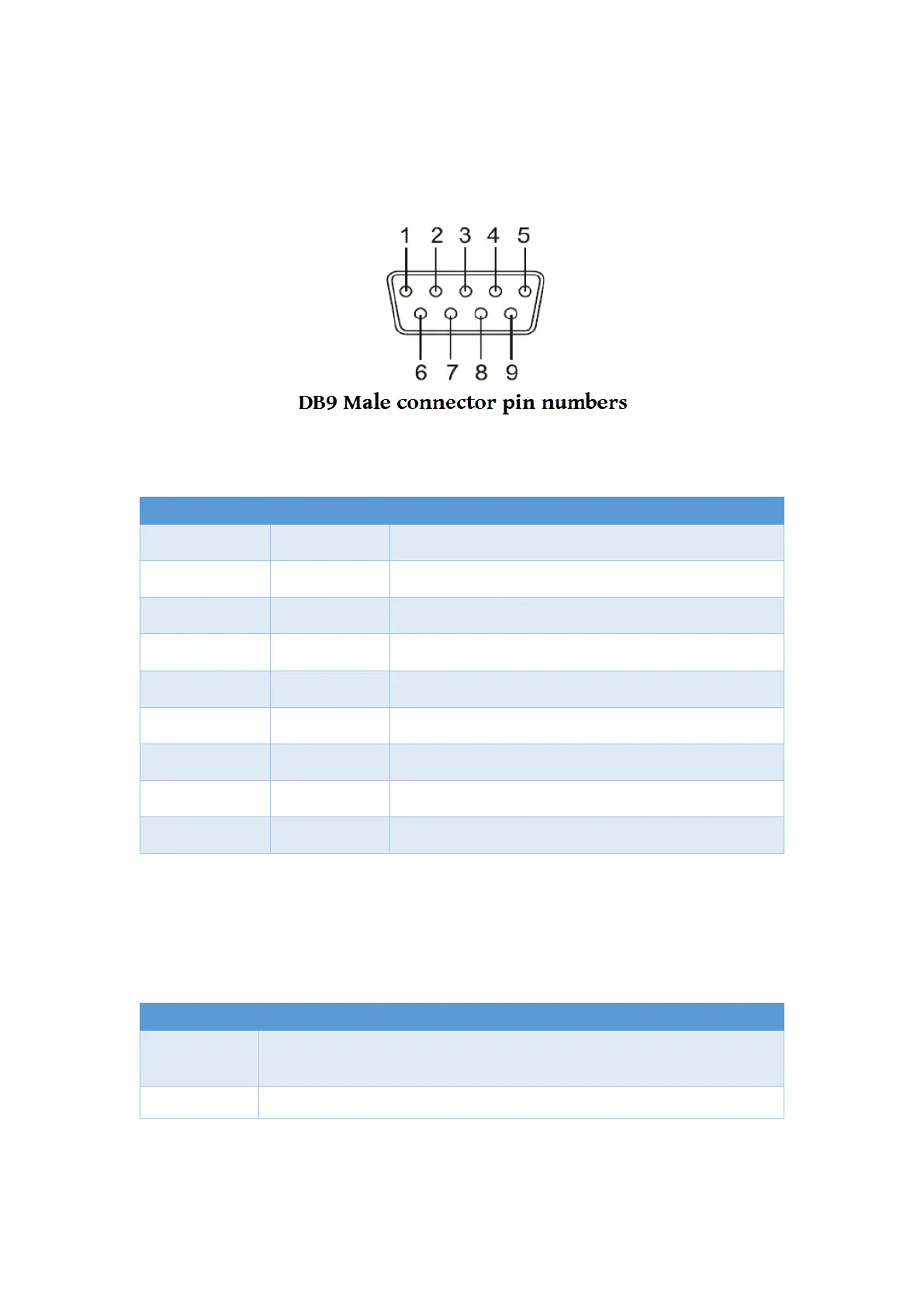
Following are the pin-out of connector for USB to CAN bus adapter:
5.1 CAN Bus Pin-out for DB9 connector
CAN_V+ Provides +DC 5V 100mA power (optional)
CAN_L CAN_L bus line (dominant level is low)
CAN_GND Signal ground
- Reserved
- Reserved
CAN_GND Signal ground
CAN_H CAN_H bus line (dominant level is high)
- Reserved
CAN_V+ Provides +DC 5V 100mA power (optional)
5.2 Enabling the +5V 100mA power for external devices
Inside the unit, there is a 2-pin header block (JP5,JP8) which are jumpers for enabling
5V 100mA power for external devices.
ON
Enable DB9 pins 1 and 9 to provide a 5V 100mA power for external
Disable the 5V 100mA power


 To Next Page