13
6 HARDWARE INSTALLATION
The USB CAN adapter is a plug and play device. In most cases, the USB CAN adapter’s
drivers will be installed automatically.
Connect the USB CAN adapter to an unused USB port on your computer.
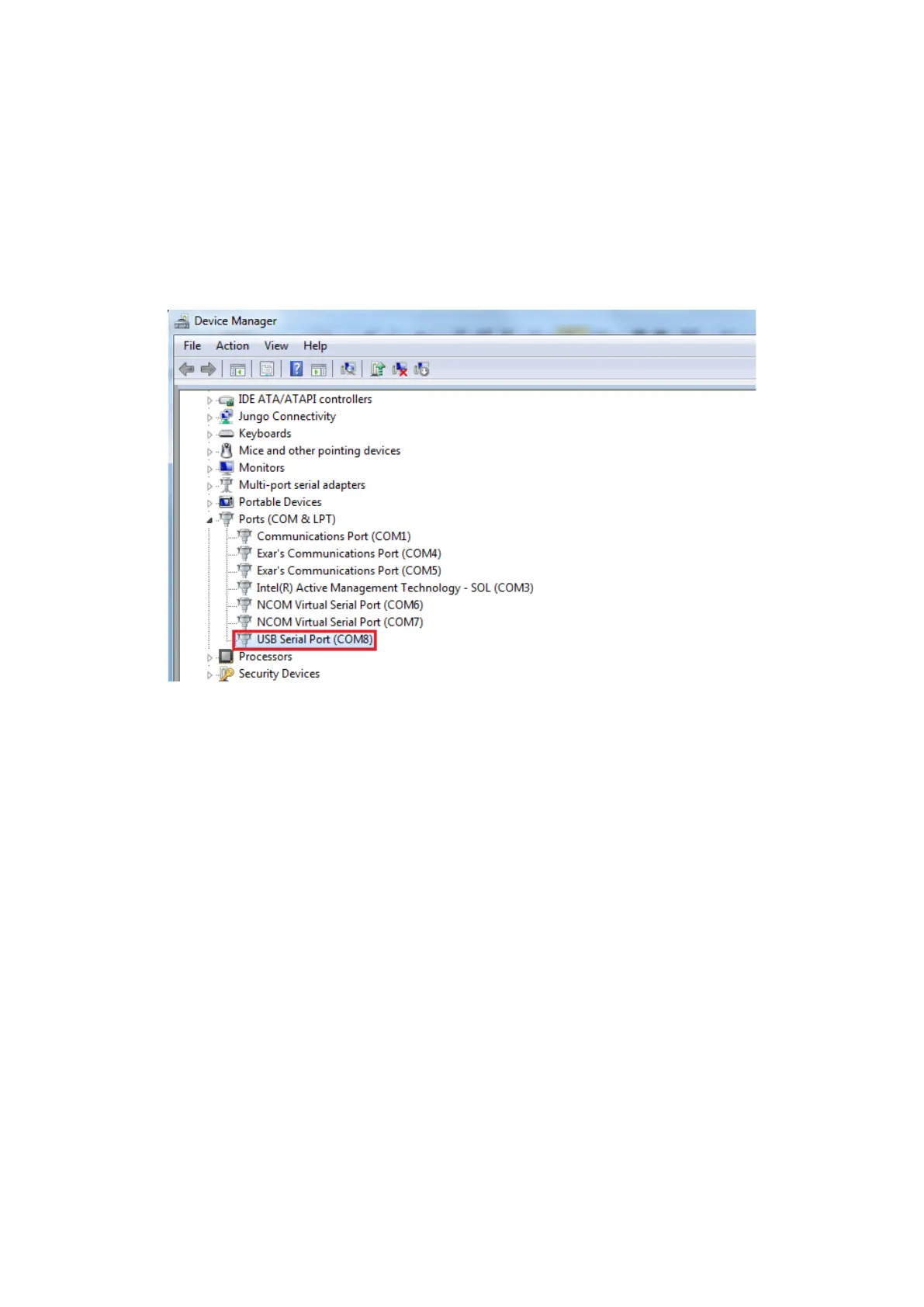
After the software drivers are loaded, you will find a new "USB Serial Port (COMX)"
under “Ports (COM & LPT)” in device manager.
You will need to execute the command “CAN_BAUDRATE_SET COMX” to set the USB
to CAN adapter to work in high speed (3Mbits). After executing the command,
please disconnect the USB to CAN adapter from the system for about 5 seconds and
connect it again (refer to page 31).
Note: The set baud rate program (CAN_BAUDRATE_SET.exe) must be executed under
command prompt with administrative privileges.


 To Next Page