14
7 DRIVER AND SOFTWARE INSTALLATION
7.1 Driver Installation
In most cases, the driver of USB CAN adapter will be installed driver automatically.
Windows 10, 8.1, 8, 7, Server 2012 R2, Server 2008 R2
Connect your computer to Internet and plug USB CAN adapter to the USB port. The
driver will be installed automatically via Internet.
Windows XP, Vista, Server 2003 and 2008
Connect your computer to Internet and plug USB CAN adapter to the USB port, when
asked to install the drivers, allow your computer to search the Internet to load and
install the drivers automatically.
7.2 Verifying the Installation
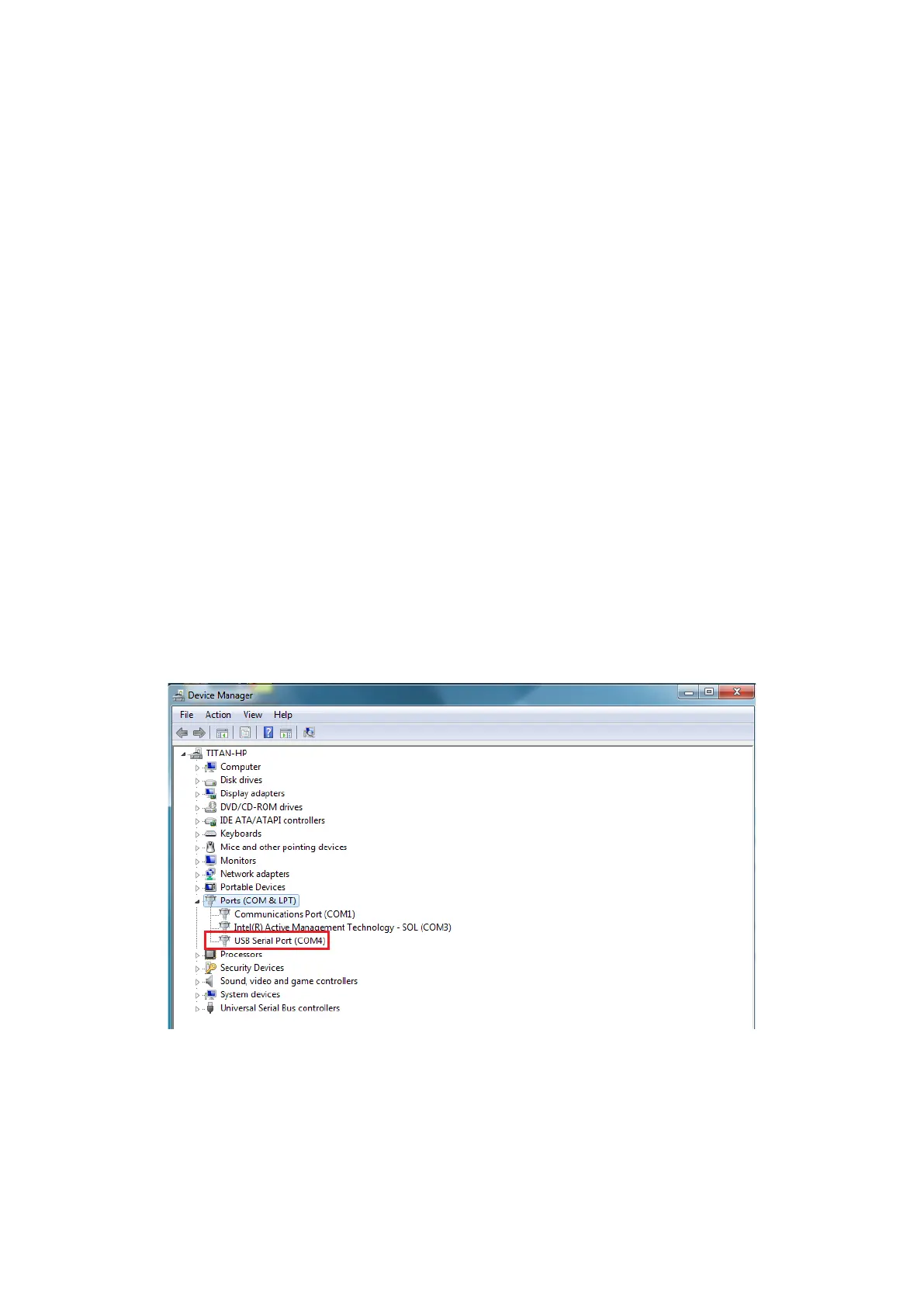
You can verify the installation by looking under device manager (Start → Settings →
Control Panel → System Properties → Hardware → Device Manager).
The device should have installed as a "USB Serial Port (COMX)" under “Ports (COM &
LPT)”.


 To Next Page