46
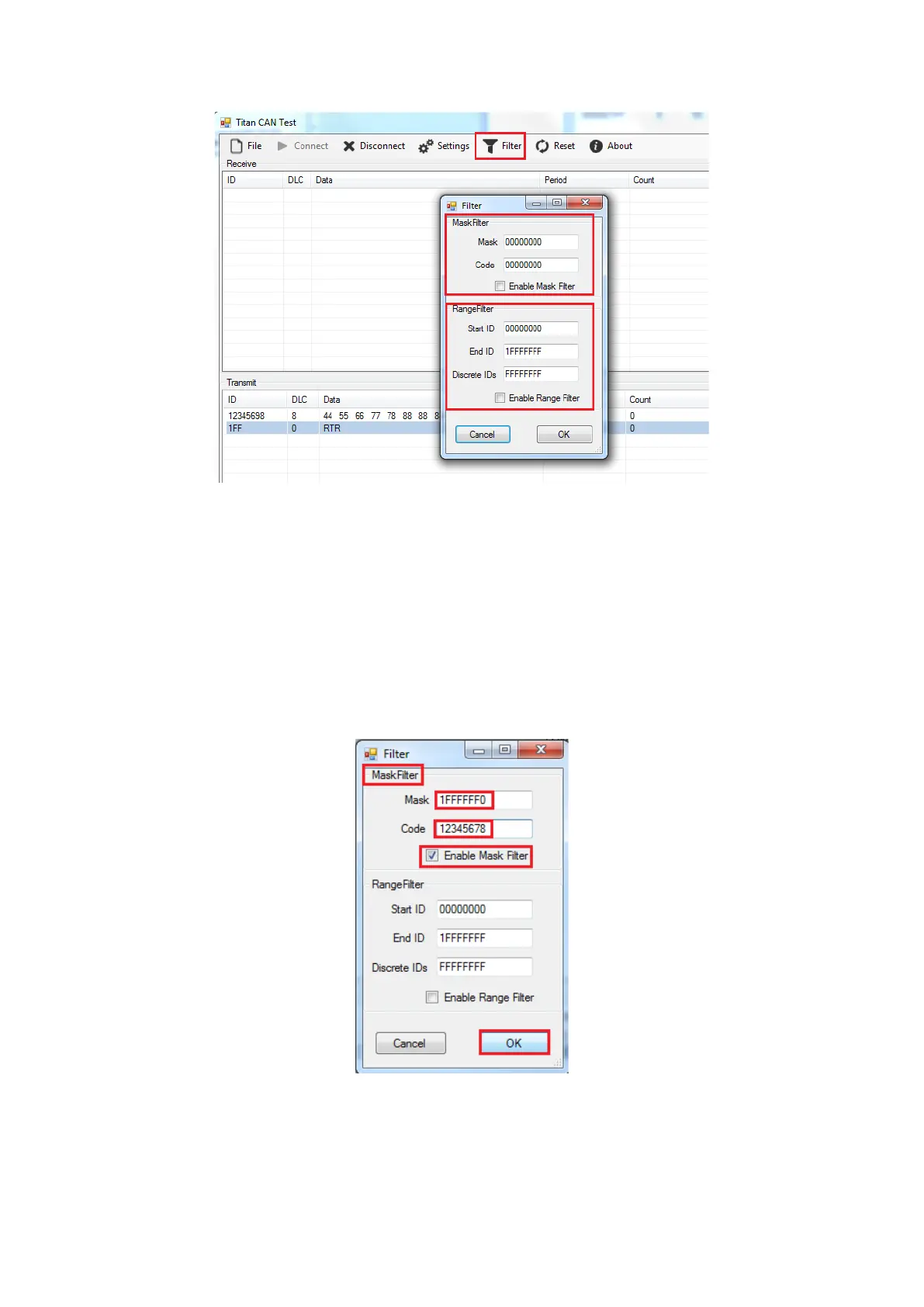
Mask Filter: Set “Acceptance Code Register” and “Acceptance Mask Register” for CAN
bus controller to specify the CAN IDs that are passed or blocked; after setting “Mask”
and “Code”, check “Enable Mask Filter” then click “OK” to finish the Mask Filter
settings and return to the main panel.
Note: Before you set the “Mask Filter” function, you need to disconnect the USB
adapter. After setting the value of “Mask” + “Code”, connect the USB adapter again to
enable the “Mask Filter” function, because the “Mask Filter” function is only available
if the CAN adapter is initiated and not opened.
Mask Filter example: After setting “Mask” to 1FFFFFF0 and “Code” to 12345678, CAN
message frames of the range 0x12345670 through 0x1234567F will be passed and all
other CAN IDs will be blocked.


 To Next Page