71
9.6.14 Using the API in LabVIEW
• CAN_Main.vi
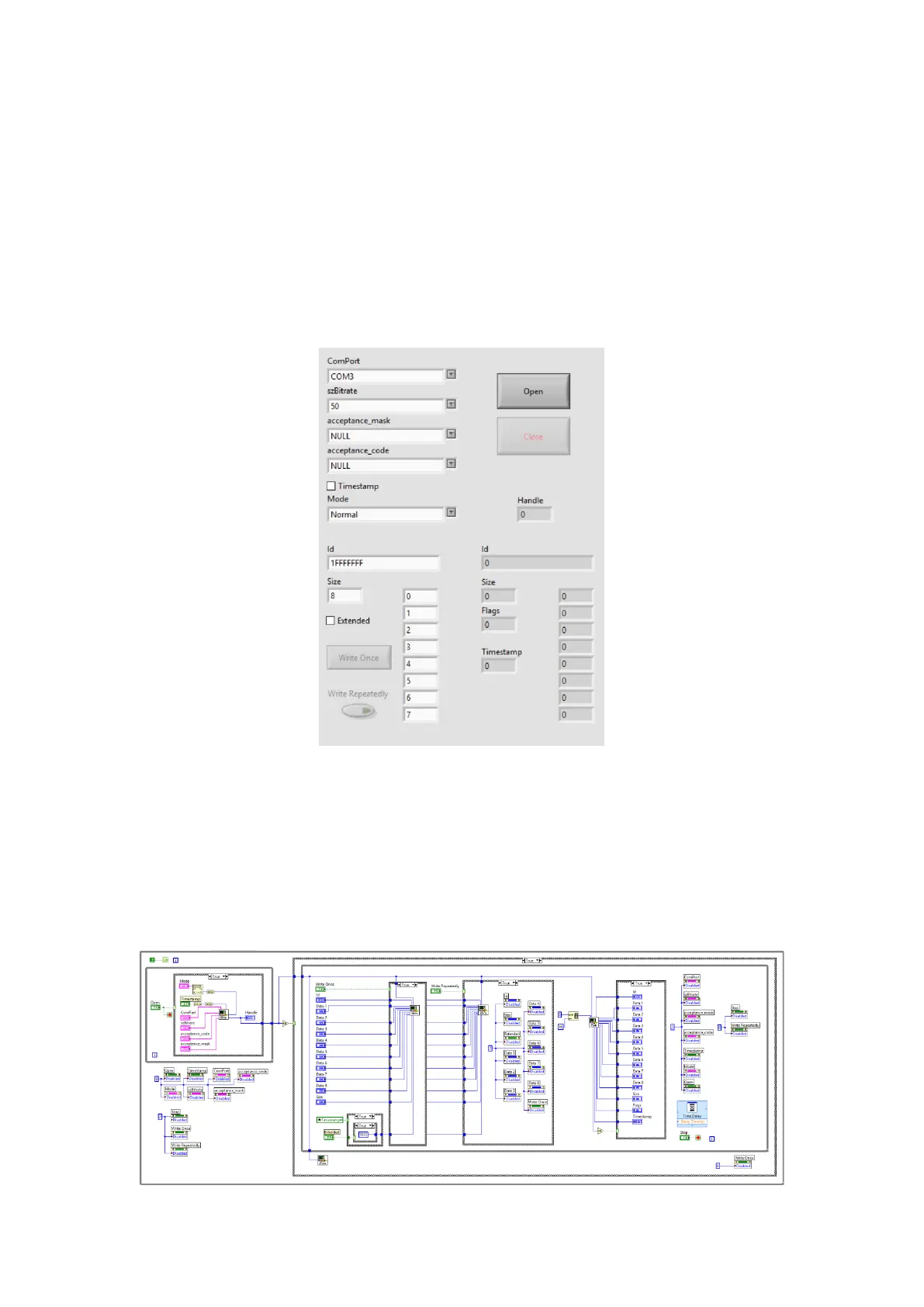
The main panel is a simple, easy-to-use example program which contains most of the
important functions available for use in the CAN API. Different functions can be tested
by changing the settings on the leftmost side, which are restricted to legal parameters
to prevent an error in operation. For example, the user can choose from Normal,
Listen Only, or Loopback mode to suit their purposes.
Once the channel is opened, the user can use either “Write Once” or the “Write
Repeatedly” button to send messages as configured in the fields. Messages received
will appear on the fields on the rightmost side, if they are available.
All subVI icons have been customized, with the terminals wired to be user-friendly,
increase readability and allow for cleanliness in larger projects, as seen in the block
diagram for the main panel.


 To Next Page