Chapter 7: PC SOFTWARE OFFLINE SETTINGS
9. OPERATION SETTING MODE
7-51
9.3. Failure Output Pattern Creation
Up to 315 patterns can be created.
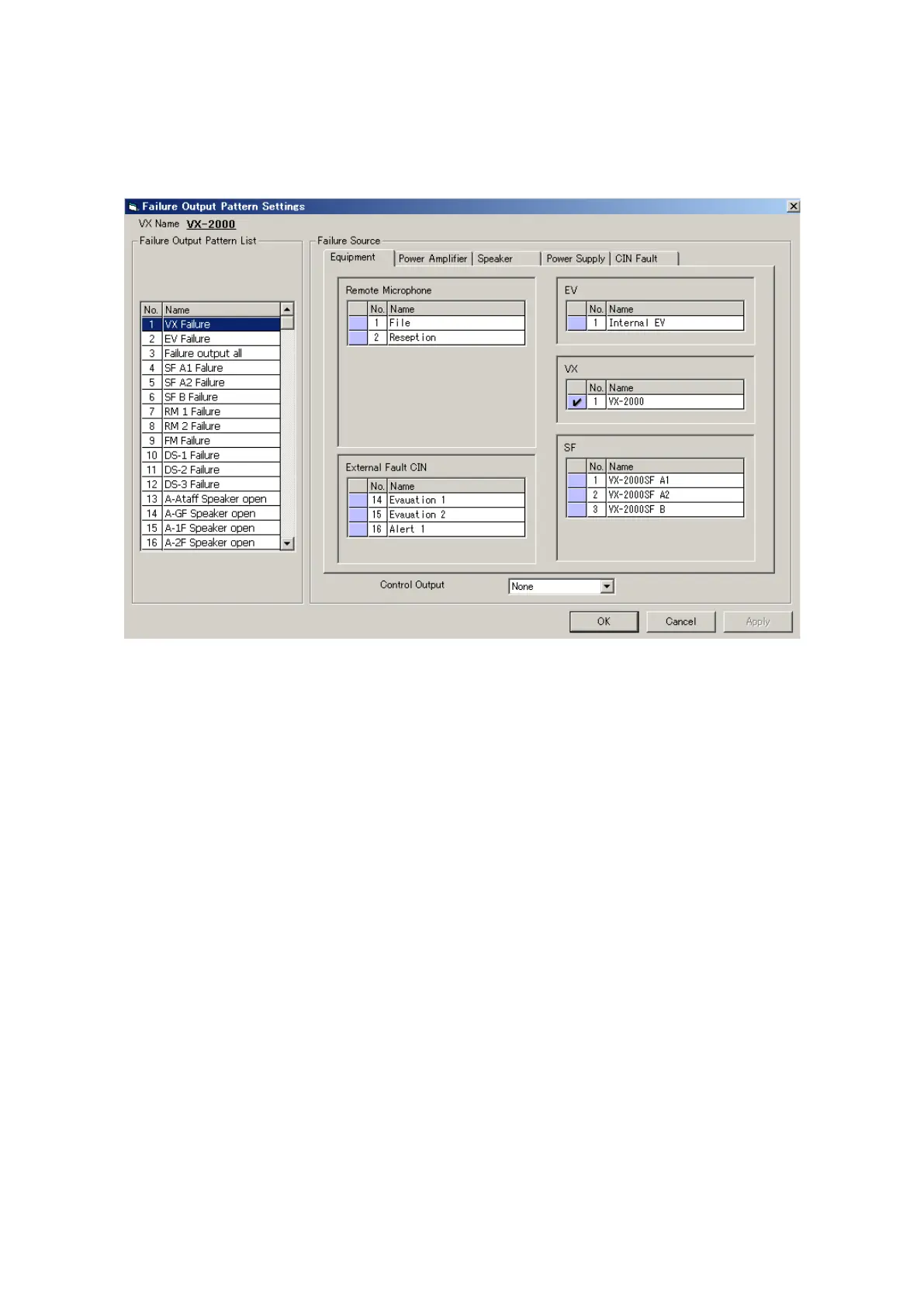
Clicking the [Failure Output] button on the Configuration screen will display the [Failure Output Pattern Settings]
window.
Step 1. Determine the [Failure Sources].
From the right-side setting contents screen, select the failure sources to be monitored by clicking the
Equipment, Power Amplifiers, Speakers, and Power Supplies tabs respectively.
If even one Failure source is selected, the pattern name will be displayed in the Failure Output Pattern
List. The failure output pattern name can be changed, if desired. Select a line to rename, then click on
it again, and the name can be changed.
Step 2. Select the interlock control output.
Select the control output from the [Control Output] menu.
Step 3. After setting completion, click on the [Apply] button to save the settings and click on the [OK] button to
close the [Failure Output Pattern Settings] window.



 To Next Page