Chapter 8: INSTALLATION AND SETTING PROCEDURES (HARDWARE)
1. RM-200XF AND RM-200X MICROPHONES
8-4
LED Indication Colour Input Signal Level
Lights red Over 0 dB
Lights green –20 to 0 dB
Off Under –20 dB
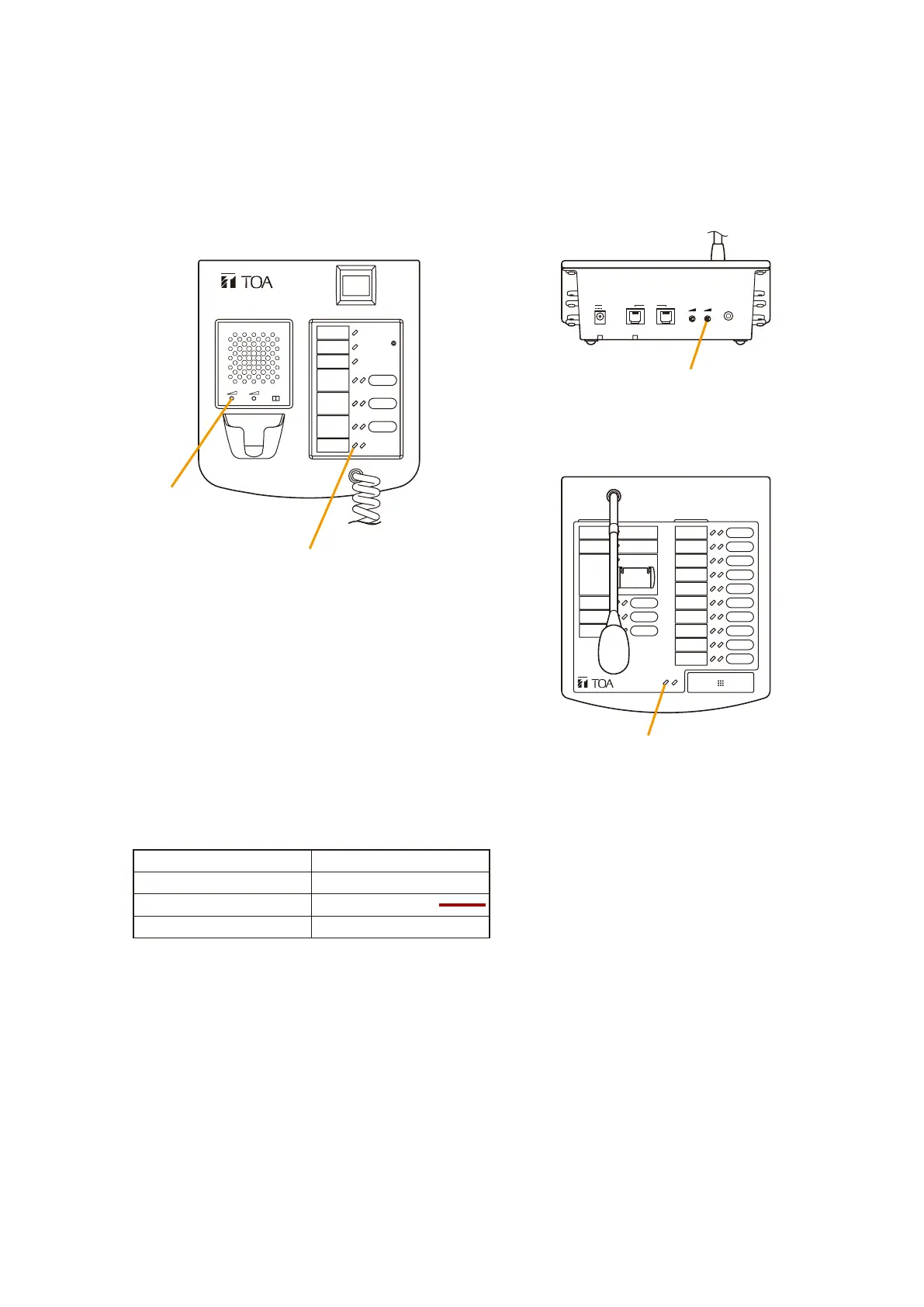
1.1.3. Microphone input sensitivity adjustment using Level Meter Mode (Switch 5)
Setting the Level Meter Mode to ON permits the Remote Microphone's level meter LED to indicate the input
signal level only while announcements are made from the microphone. Microphone input sensitivity can
be correctly adjusted by speaking into the microphone while observing the LED level indication. When the
microphone is not used for announcement broadcasts, this LED provides normal indications (i.e. Programmed
function key operations).
REMOTE MICROPHONE
RM-200X
LINK
DC POWER IN
24V
MICSP
EXTERNAL
MIC IN
FIREMAN'S MICROPHONE
RM-200XF
MICSP CPU
OFF ON
[RM-200X Top]
[RM-200X Rear]
Microphone volume control
Microphone
volume control
Level meter LED
Level meter LED
[RM-200XF Top]
Step 1. Set the level meter mode (Switch 5) to ON.
Step 2. Speak into the microphone.
The Remote microphone's level meter LED indicates the input signal level. The following table shows
the input level associated with each LED indication.
Correct level
Step 3. Adjust the microphone input sensitivity with the microphone volume control so that the level meter LED
lights green.
Step 4. Set the level meter mode back to OFF.
Notes
• Set the mode to OFF during actual system operation.
• The Level Meter Mode is factory-preset to ON.



 To Next Page