7
1.3. Buttons
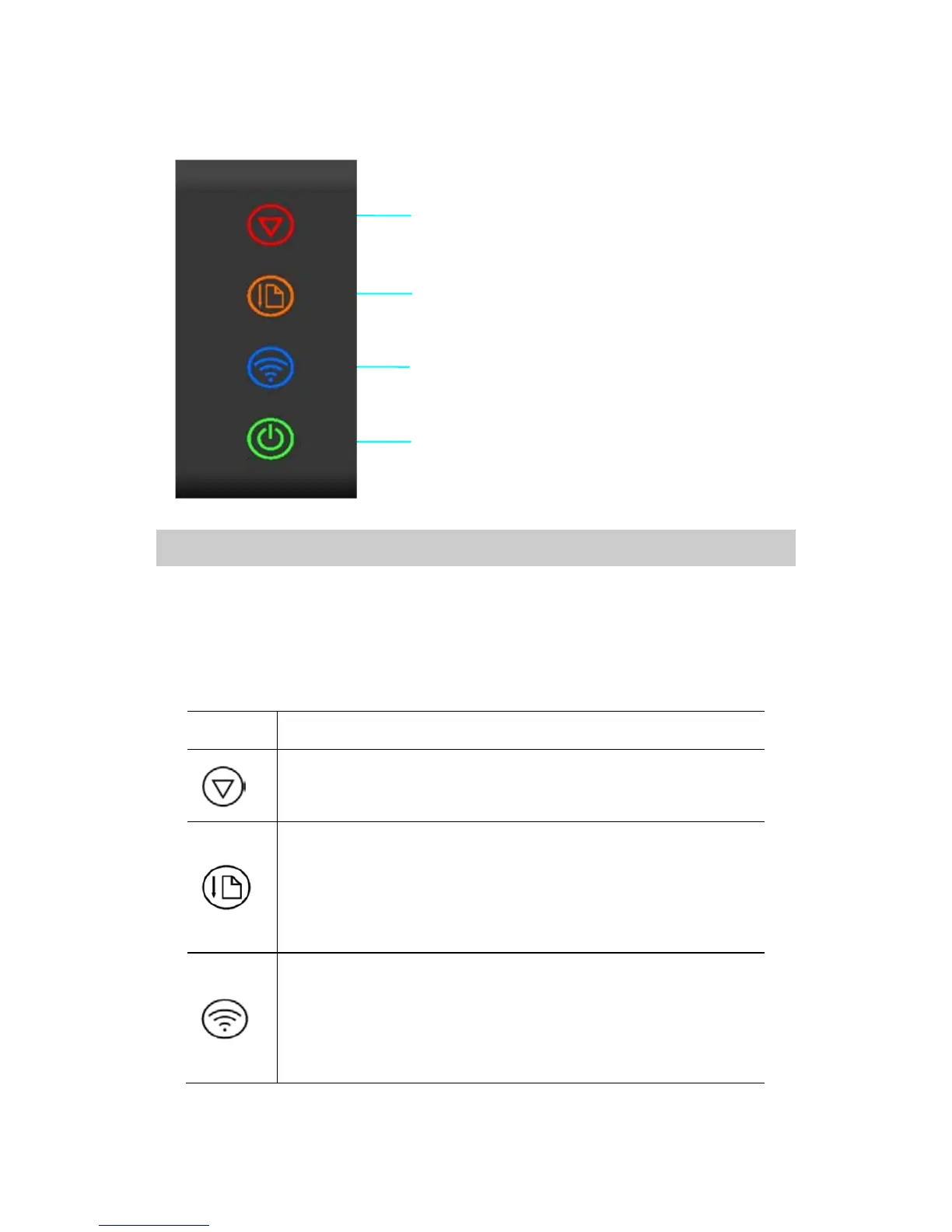
The operation panel consists of four touch buttons (they are also
indicator lights). Please operate this printer according to the following
button functions.
Cancel the print job in printing mode
Clear the stored documents in standby mode
Press and hold the button, and the printer will keep
feeding paper till the button is released
Press the button, and the printer will stop feeding till
the paper is in place
Press and hold the button to turn on /turn off the
WIFI(See Section 5 for details)
Press the button, and the printer will switch to the
hotpot mode(See Section 5 for details)
Power Button (Indicator)
WIFI Button (Indicator)
Feed Button (Indicator)
Cancel Button (Indicator)


 To Next Page