14
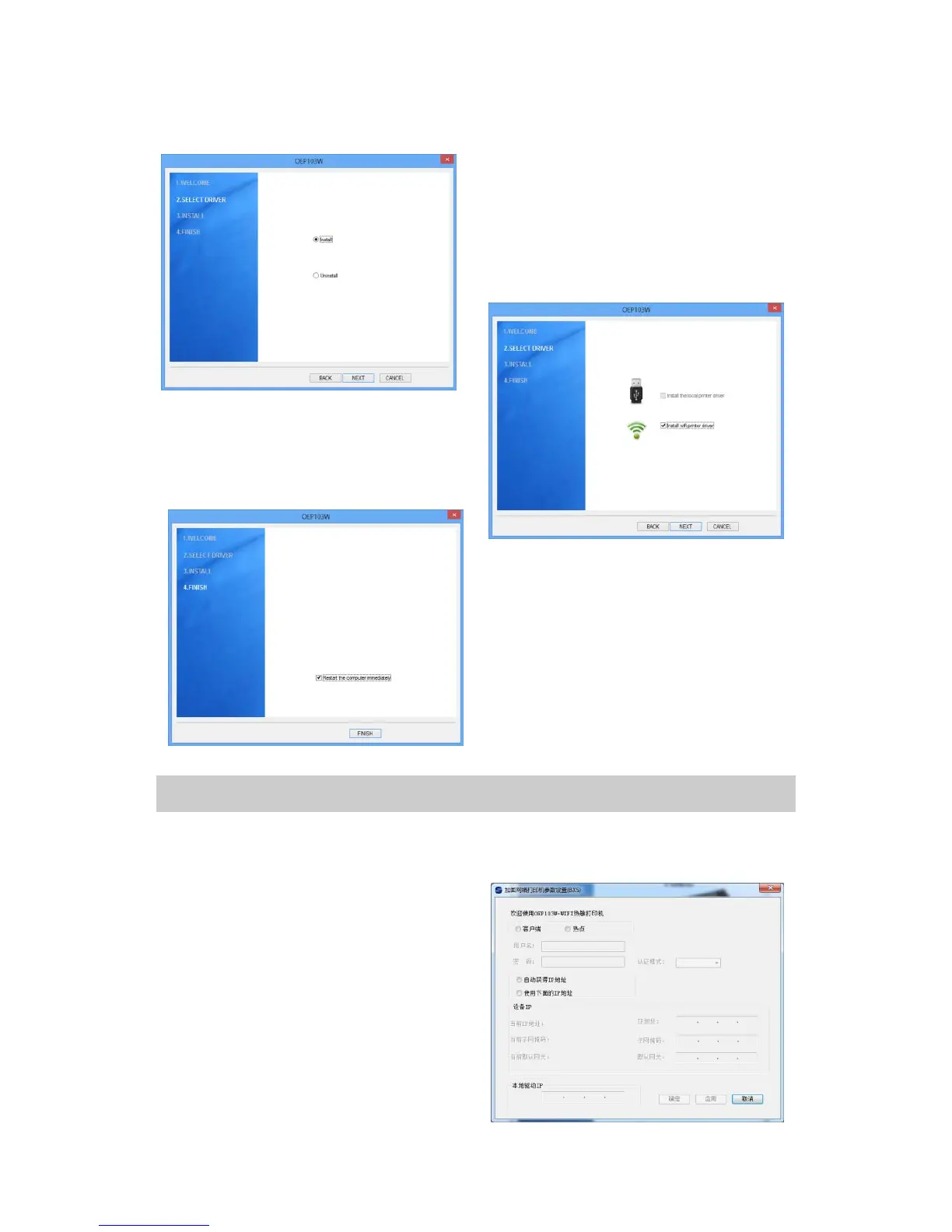
3. Choose “Install ” , and then
click “Next”. If this window does
not appear, skip this step .
4. Choose “Install WIFI printer
driver ” , and click “Next”.
5. Click “Finish”, and the
installation is completed. (We
suggest you to restart the
computer.)
3.3. Change WIFI Print IP Address
If you want to change the IP address of the printer, please use the
IP_SET tool in the installation CD.
1. Insert the installation CD into
the CD-ROM drive.
2.Read the files in the installation
CD. Double click “IP_Set.exe”,
and the dialog box “Parameter
setting” pops up.


 To Next Page