10
2. Load Paper
This section will introduce the paper type and method of loading paper.
2.1. Paper Size and Type
Note: using unsuitable paper will cause problems like poor print quality,
paper jam or over wearing of the printer, even will damage the printer.
However, our warranty or service agreement doesn't cover damage like
this. To get the best performance of this printer, we suggest you to use
the type of paper described in this section.
Paper Type
Tattoo Transfer Printing Paper and
Thermal Paper
Paper Size A4 and B5
Note: weight, ingredient, texture and humidity of the paper are all
important factors which will influence the performance of printer and
the output quality.
2.2. Load Paper
Loading the paper properly will help you to prevent paper jam and make
sure that there is no fault of the printing.
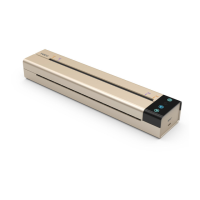
When put the paper into the printer, make sure that the paper needed to
print faces down, and the printer will lead the paper to the right place
automatically. Please try to vertically load the paper into the center of
paper slot. Do not lead the paper to one side of slot or slant it. Be sure
that the bottom of the paper is parallel with input slot. Otherwise, it will
influence the printing result, and will cause damage to the paper.


 To Next Page