22
4.2. Print via USB
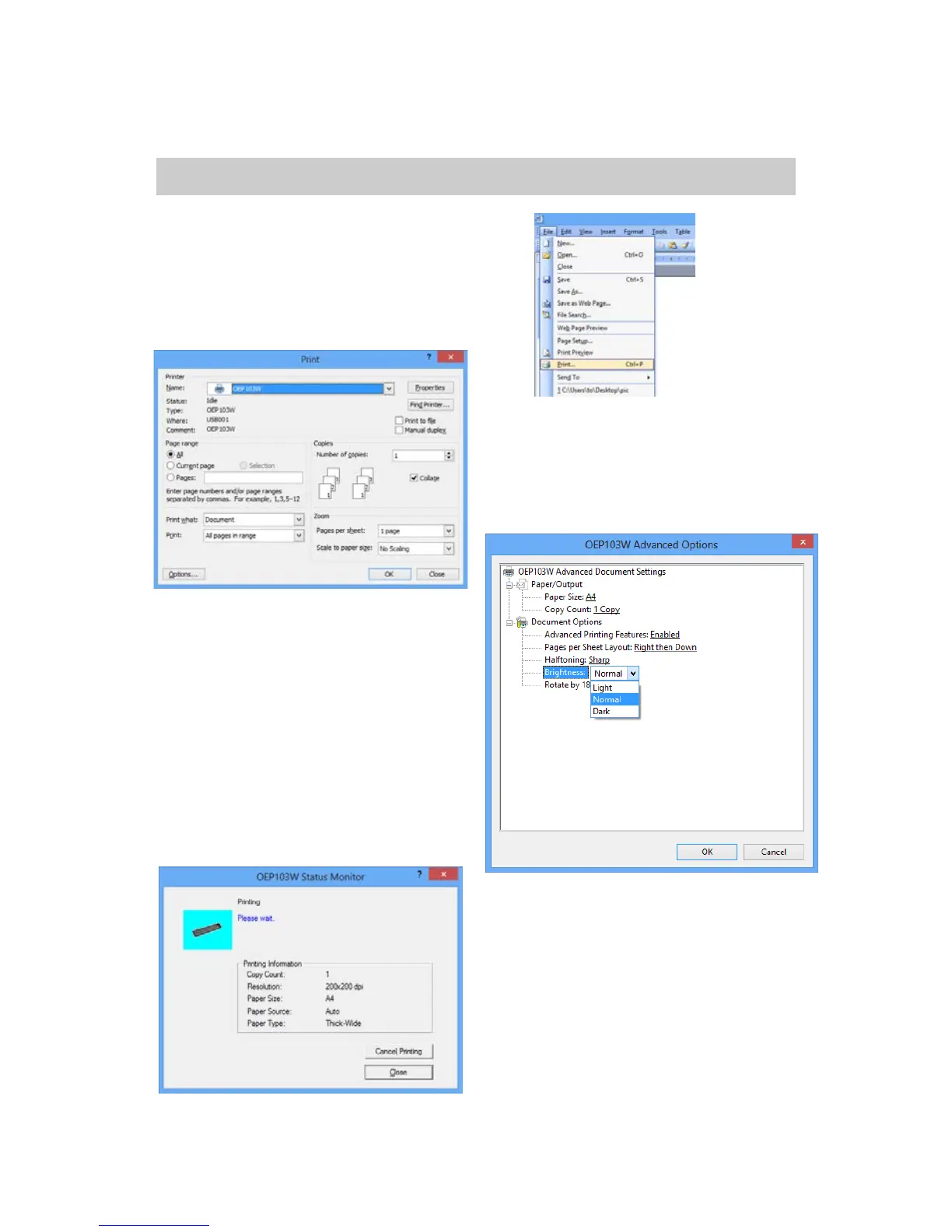
1. Open the document needed to
print, and select “Print” in the
“File” menu.
2. In the “Print” dialog box, click
the “Name” in drop-down list box
and select “OEP103W”.
3. Click “Properties”, select
advanced option in the
“Paper/Quality” tab in the dialog
box, and select the brightness to
change the light or dark effect of
the printed document.
4. Set up the printing option and
the number of copies, and click
“OK” to confirm. The printer
begins to print and the window of
“OEP103W Status Monitor” pops


 To Next Page