13
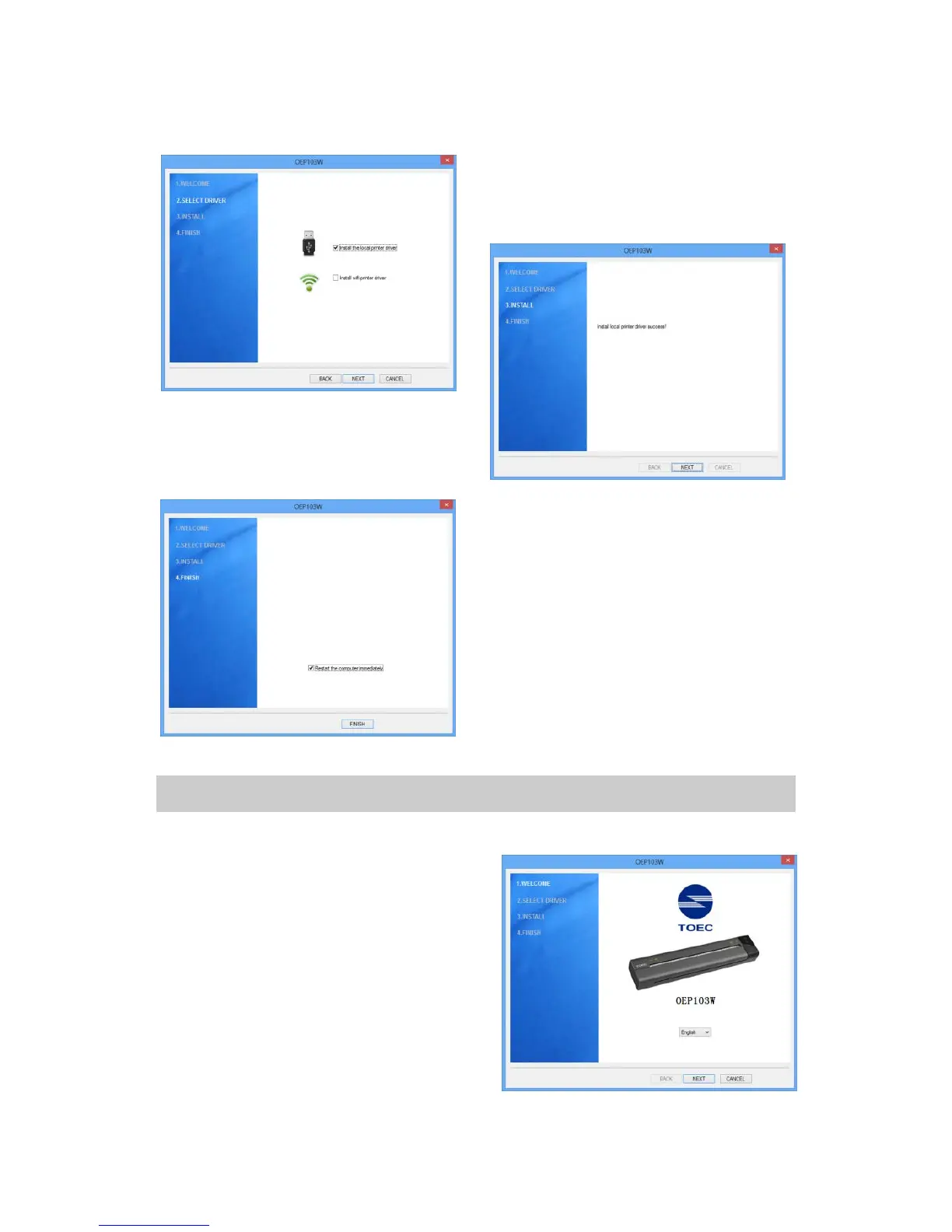
3. Check “Install the local printer
driver ” , and then click “Next”.
4. Click “Next” after the sucessful
installation.
5. Click “Finish”, and the
installation is completed. (We
suggest you to restart the
computer. )
3.2. Install WIFI Printer Driver
1.Insert the installation CD into the
CD-ROM drive.
2.Read the files in the CD. Double
click “Setup.exe”.When the
“Install/uninstall wizard” Window
pops up, click “Next”.


 To Next Page