24
5. Brief Description of WIFI Function
For WIFI connecting of this printer, it can support two kinds of
operating modes: client-side and hotspot.
Client-side: the printer is connected
to the WIFI signal which is sent out
by other equipment (e.g. router).
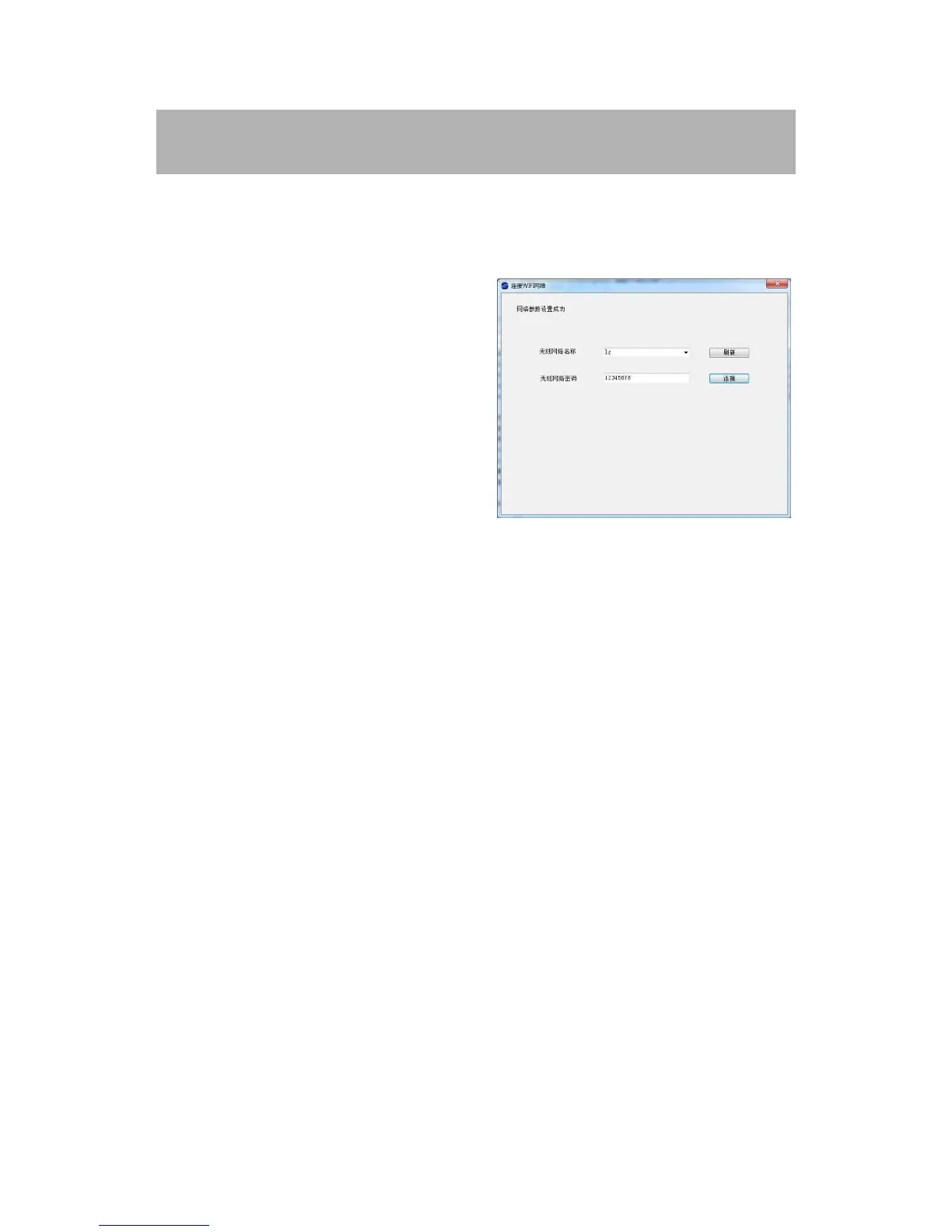
Before connecting, need to use
WIFI-connect tool to configure the
user name and password of
connecting WIFI signal, and wait for
about 5 seconds to make sure that the printer has already been connected
to the designated WIFI signal.
After the connection is successful, WIFI indicator light will be lit, and
then connect the computer or mobile device to this WIFI signal. Then
connecting of the printer or external device to do WIFI printing through
client-side can be realized. If the printing is failed, please check that
whether WIFI connecting is normal or not.
Hotspot: WIFI signal is sent out by the printer. The name of WIFI is
toec. The password is 12345678 for default and it can be set by the
IP_SET tool in the installation CD (please see Section 3.3 for details).
If you want to use this mode to print, please make sure that the computer
or mobile device directly connects to the WIFI signal of printer.
To switch between the client-side mode and the hotspot mode, it can be
set by the IP_SET tool in the installation CD or the options in the TOEC
Printer.
Note: in hotspot mode, only can connect two(2) equipments. If try to


 To Next Page