16
running applications, and we suggest you to close the antivirus software.
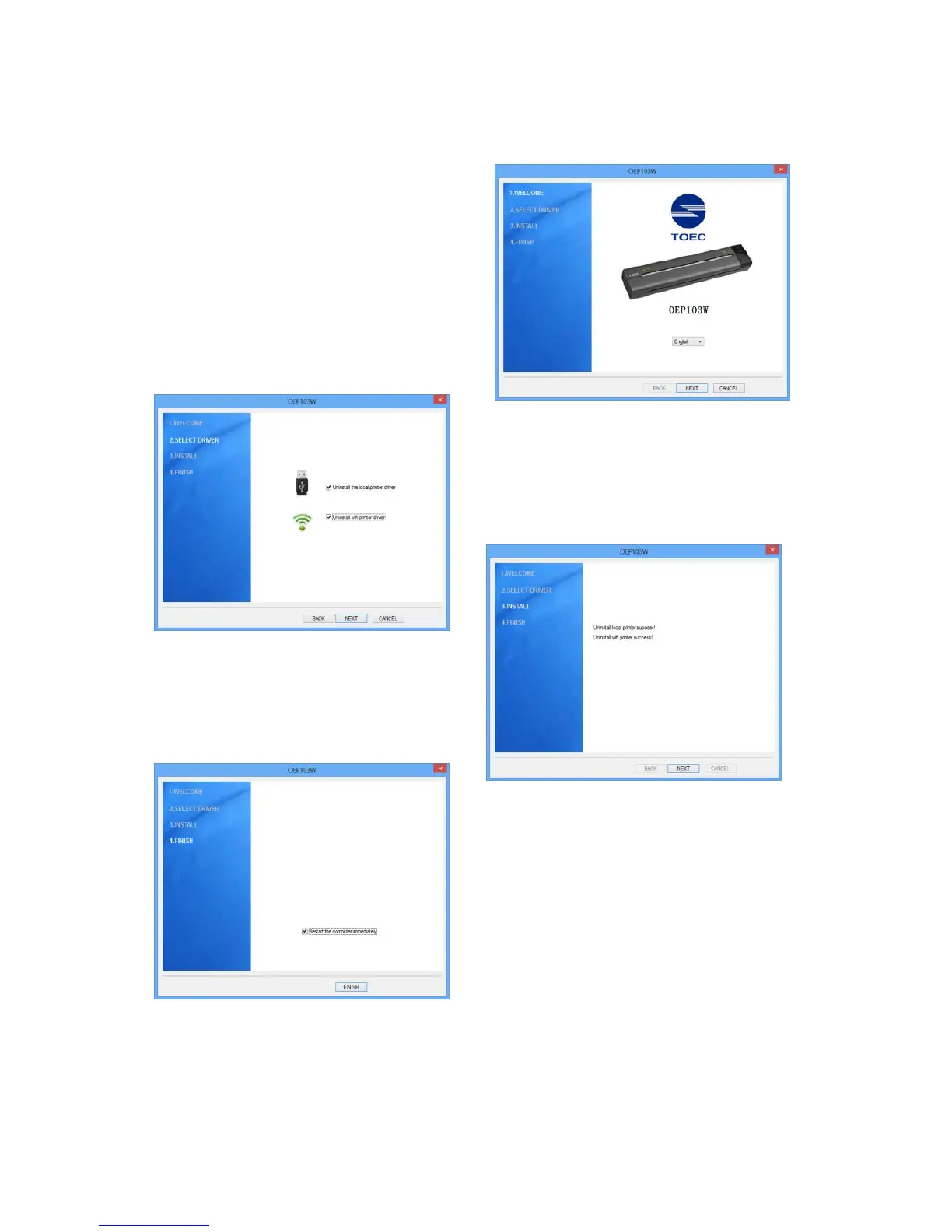
1. Read the files in the CD .
Double click “Setup.exe”. When
the “Install/uninstall wizard”
window pops up, click “Next”.
2.Chosee “Uninstall local printer
driver”and “Uninstall WIFI print
driver”, and click “Next”.
3.When the uninstallation is
completed, click “Next” .
4. Click “Finish”, so the
uninstallation is completed. (We
suggest you to restart the
computer .)


 To Next Page