19
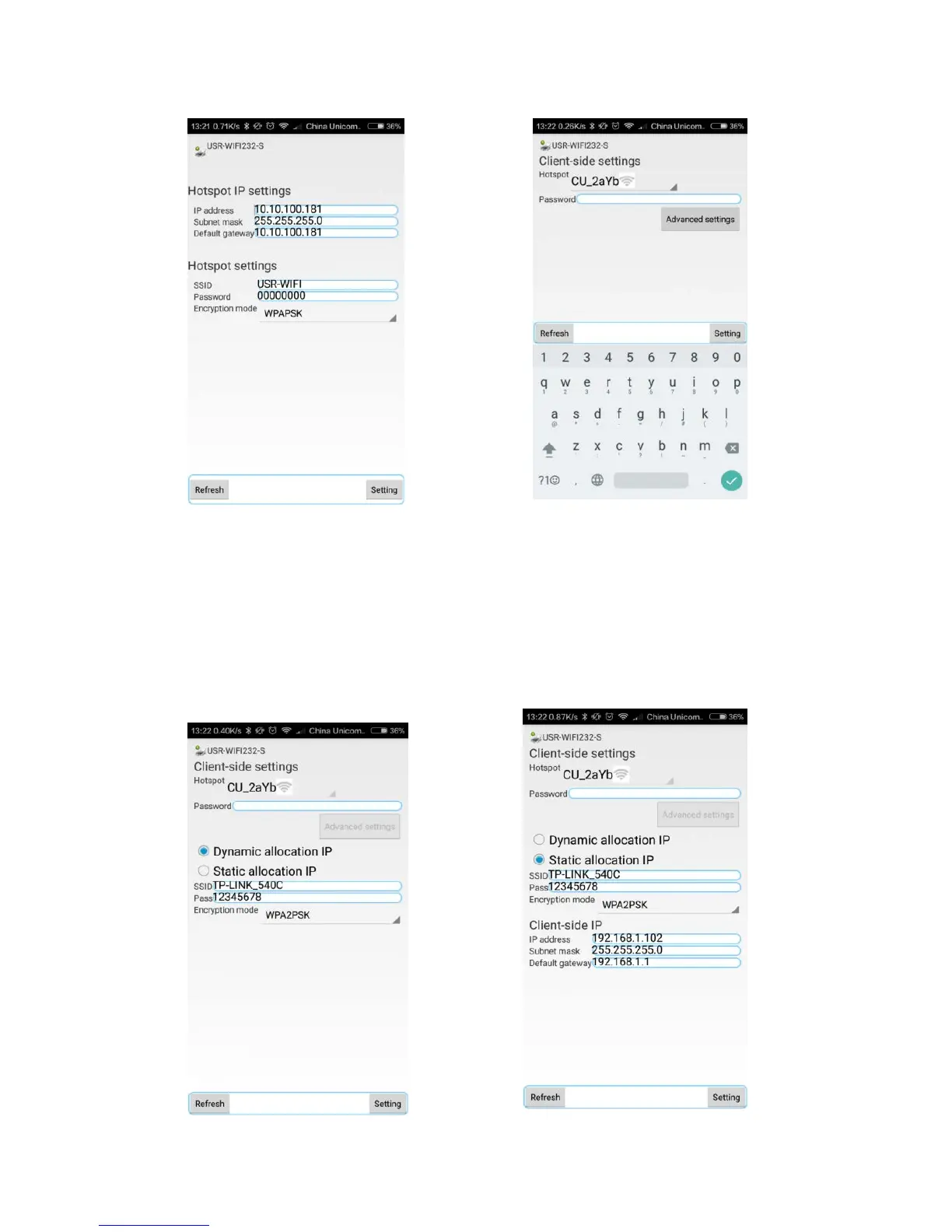
display the IP settings and WIFI hotspot settings of the selected printer.
Figure e Hotspot mode settings Figure f Client-side mode settings
When select the client-side mode, select the WIFI and then enter the
password. If the name of network can’t be found or want to set the
WIFI configuration manually, click the button of the advanced settings
and select the dynamic allocation IP and static allocation IP to do the
suitable setting.


 To Next Page