27
recharging terminal to set it to RUN measuring mode.
* In single-spindle tightening mode, use key to set the counter to 000 for RUN mode.
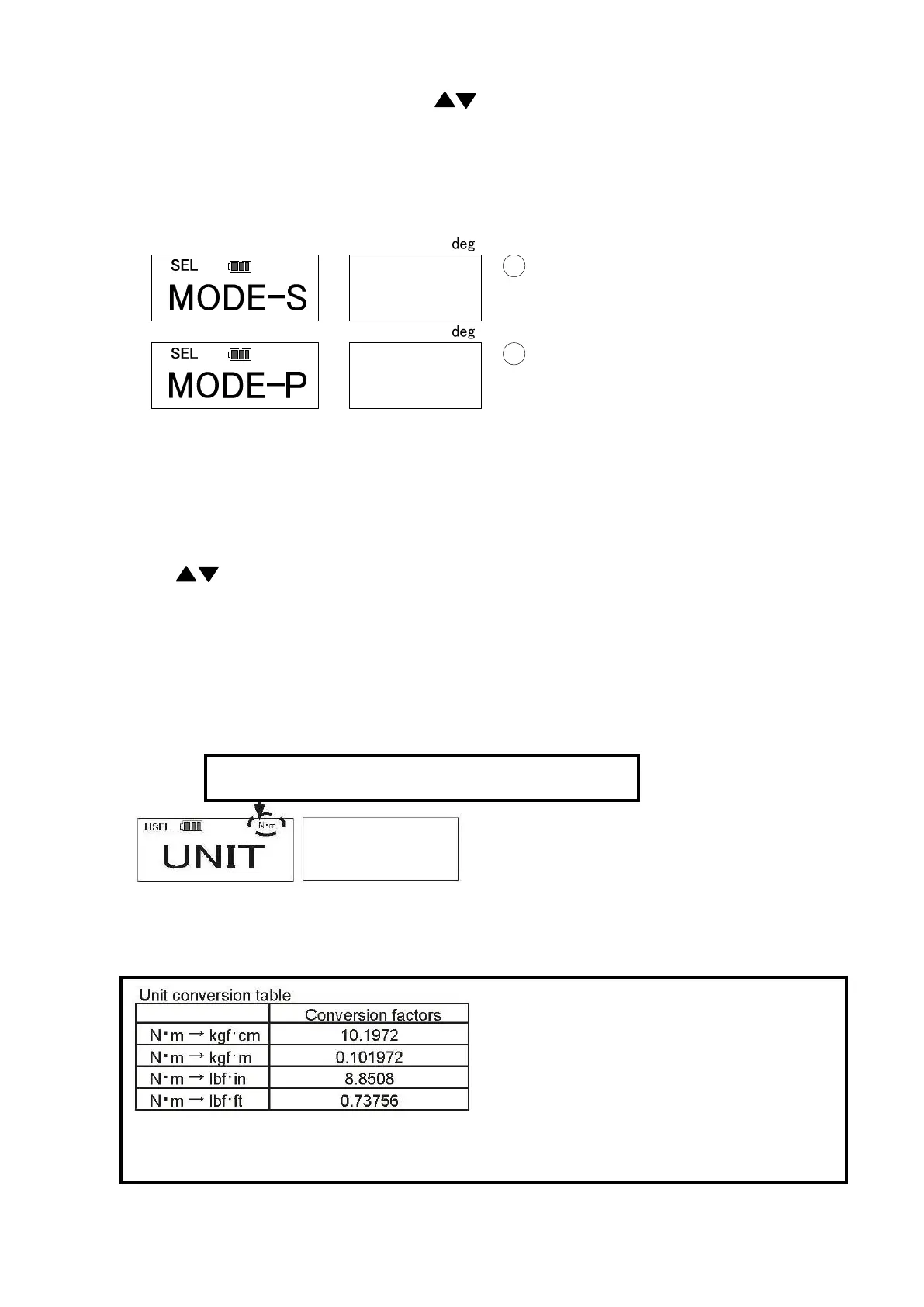
● Tightening mode setting (Default: MODE-S)
Select the tightening mode.
MODE-S: Single-spindle tightening, MODE-P: Production tightening
Single-spindle tightening: Set the snug torque and tightening angle to conduct the angle
method tightening from the snug torque to the set angle.
Production tightening: Set the snug torque, tightening torque, 1
st
, 2
nd
, and 3
rd
tightening angle,
and the number of spindles to conduct the angle method tightening for a
series of work on the registered conditions.
Use key to select the mode and press MEM key to confirm. After confirmation, the display
turns to Data Clear (Press MD key to proceed without saving. Press C key to return to RUN
measuring mode).
●Setting measurement unit (Default: N・m)
Select the torque unit (N・m/kgf・cm/kgf・m/lbf・in/lbf・ft)
The measured torque and the set torque will be converted into the selected torque unit.
Use ▲▼key to select the torque unit and press MEM key to save and proceed to the next.
(If you press MD key, it proceeds without saving. If you press C key, it returns to RUN measurement
mode).
*Unit conversion is made based on N・m values with the above conversion factors.
*All the memory and torque setting values are converted when making a unit change.
・
・
・
・
・
Rounding of the converted figures
100.0[N・m] x 0.73756 = 73.756
≒
73.8[lbf・ft]
73.8[lbf・ft] ÷ 0.73756 = 100.05
≒
100.1[N・m]
*Converted figures are rounded as above.
Accordingly, the resulted figures may have a margin of errors


 To Next Page