@ ToolkitRC 2020
Lipo, LiHV, LiFe, Lion batteries can be charged,
discharged, and stored. NiMh battery can choose to
charge, discharge, cycle. PB battery can choose to
charge and discharge. Short press [OK] and [Exit] to take
effect and return to the previous interface.
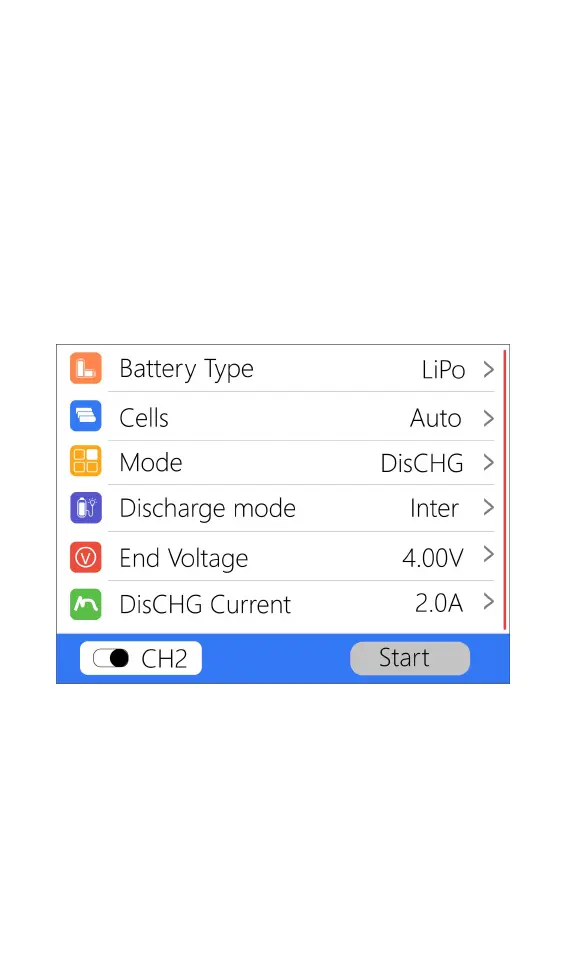
4,Discharge mode
When the working mode selects discharge, storage,
and cycle mode, the battery setting interface will
increase the discharge mode. As shown below.
Move the cursor to [Discharge Mode] and press [OK]
to modify the discharge mode, as shown below.



 To Next Page