5.1 Steering tuning settings
34
5.1. Steering tuning settings
X30 console
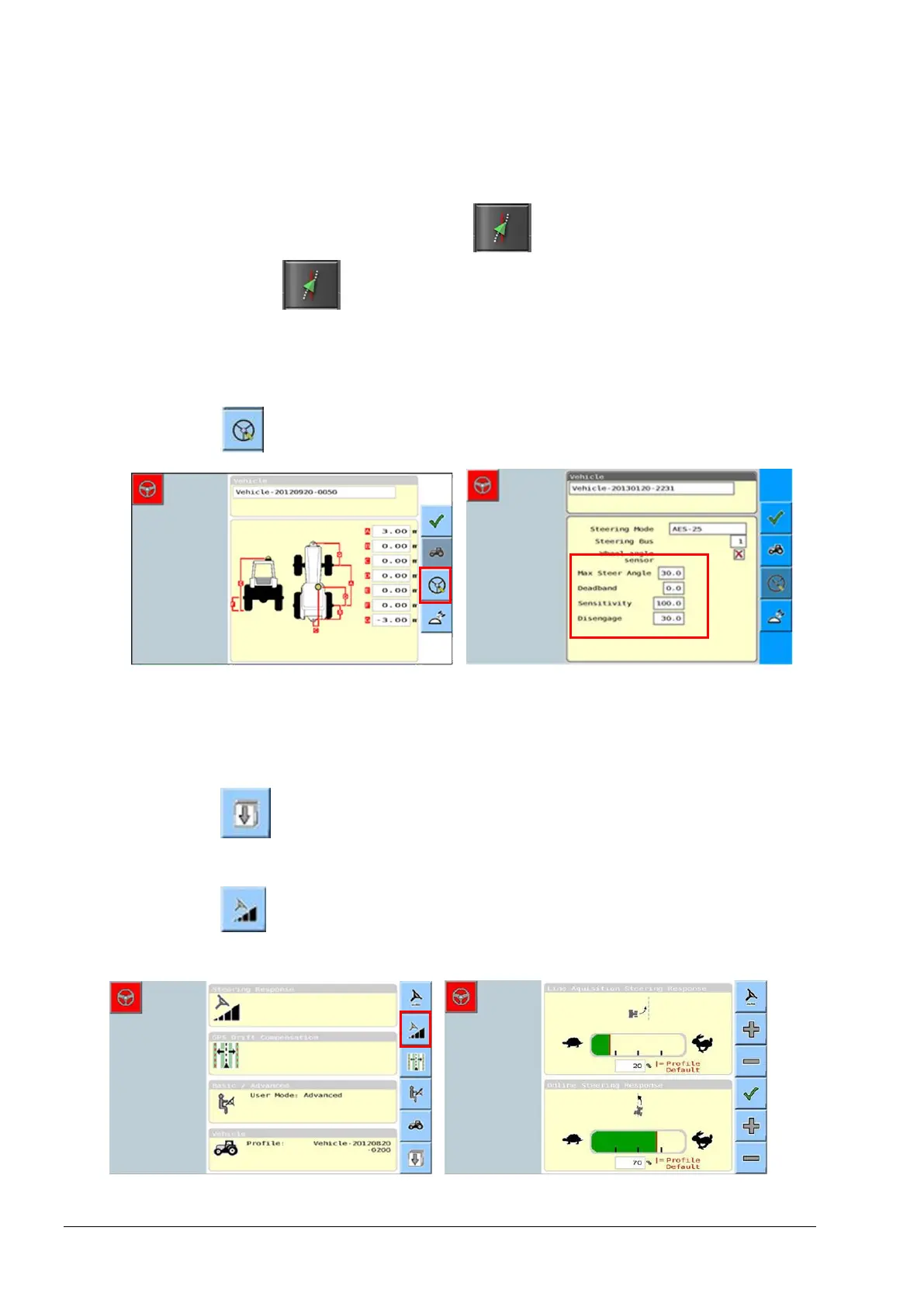
1. Select Steering Options Menu / Auto Steer Tuning
Parameters .
Universal terminal
Steering controller
1. Select from the vehicle geometry screen.
The Steering tuning settings are displayed on the steering control
settings page.
Steering response
2. Select from the advanced setup screen. The vehicle sub
menu will be displayed.
3. Select to display the Line Acquisition Steering Response and
Online Steering Response settings.



 To Next Page