3
Chapter 2 – Installing CropSpec Hard-
ware
This section describes the steps required to install the 1004326-01 or
1004327-01 KIT on a tractor cabin.
Note: Before installing the CropSpec kit, the AGA3644 KIT must be
installed according to the instructions in the A3710 INSTALL
GUIDE. The AGB1315 BRACKET is not required for mounting the
CropSpec kit.
Step View Procedure
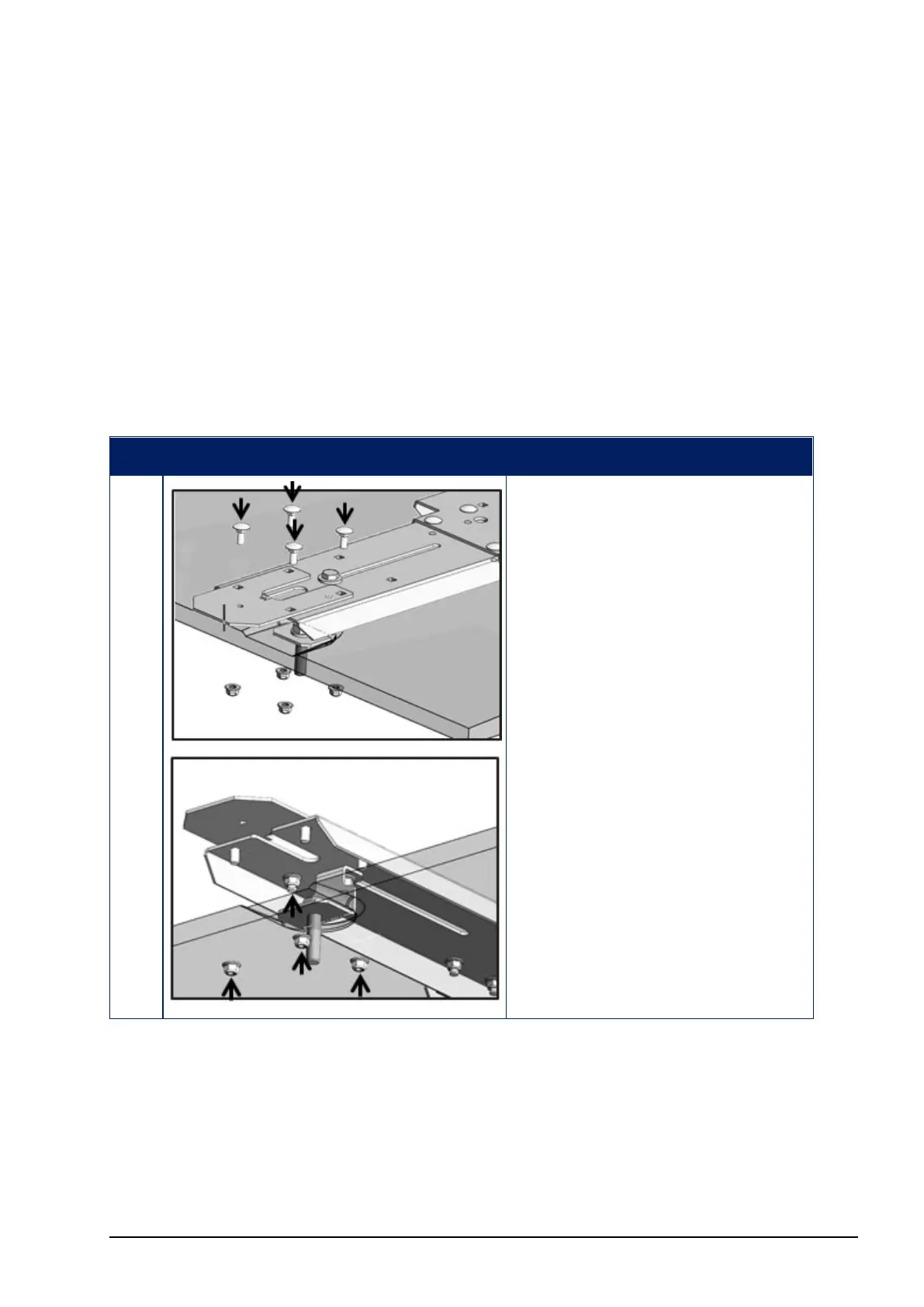
1. Use the M10 NUTS
(AGF426) to attach the
BASE PLATES (9090-1613)
to the B142 BRACKETS
(one on each side) through
any four of the available six
holes.
Place the M10 WASHERS
(AGF440) and secure with
the M10 BOLTS (AGF430).
Or, use an alternate mounting
position as shown.



 To Next Page