− 9 −
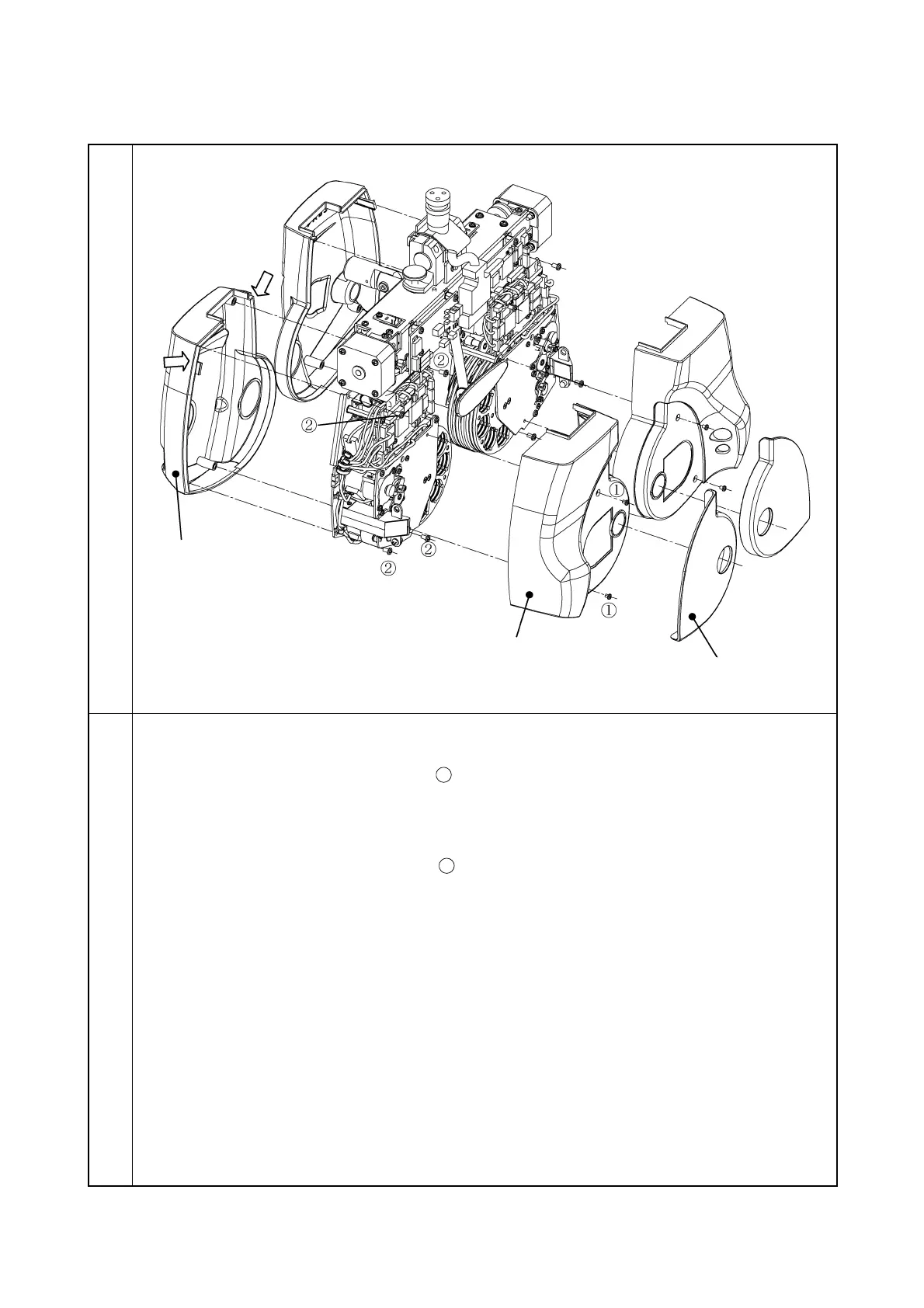
3-1-2 Removal of lens cover
Illustration
Procedure
1. Remove the face shield.
2. Remove the two screws CR3 × 3SCr
and then remove the lens cover at patient side.
* This cover has a claw. Remove it as pushing the arrow section of the lens cover at
inspector side.
3. Remove the four screws CR3 × 6SCr
and then remove the lens cover at inspector side.
4. Remove the cover at the right eye side in the same way as the cover at the left eye side.
Lens cover at patient side
Lens cover at inspector side



 To Next Page