− 14 −
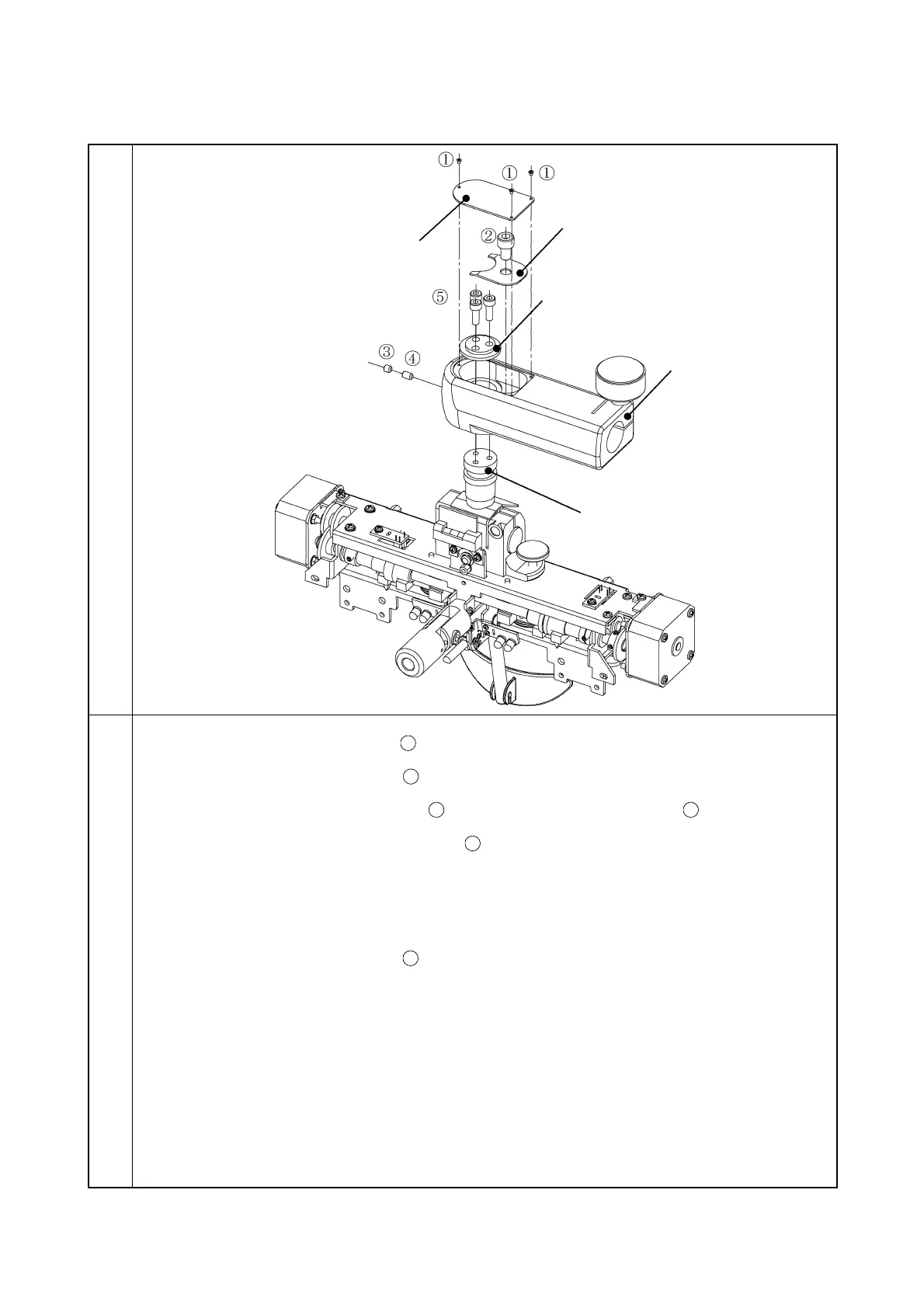
3-1-7 Removal of CV arm
Illustration
Procedure
1. Remove the screw CQS2 × 3Cr
and then remove the arm cover.
2. Remove the screw 6S6 × 10SCr
and then remove the plate spring.
3. Remove the screw 6SU4 × 4S3BZn
and the screw 6SU4 × 10S3BZn
.
4. Remove the three screws 6S4 × 12SCr
and separate the disk from the arm mounting
shaft. Then, remove the CV arm.
Note: When installing the CV arm, the rotation force of the CV instrument is adjusted by the
tightening force of the screw
. Adjust the force properly.



 To Next Page