− 51 −
4. Operation procedure of version up
Photo of operation
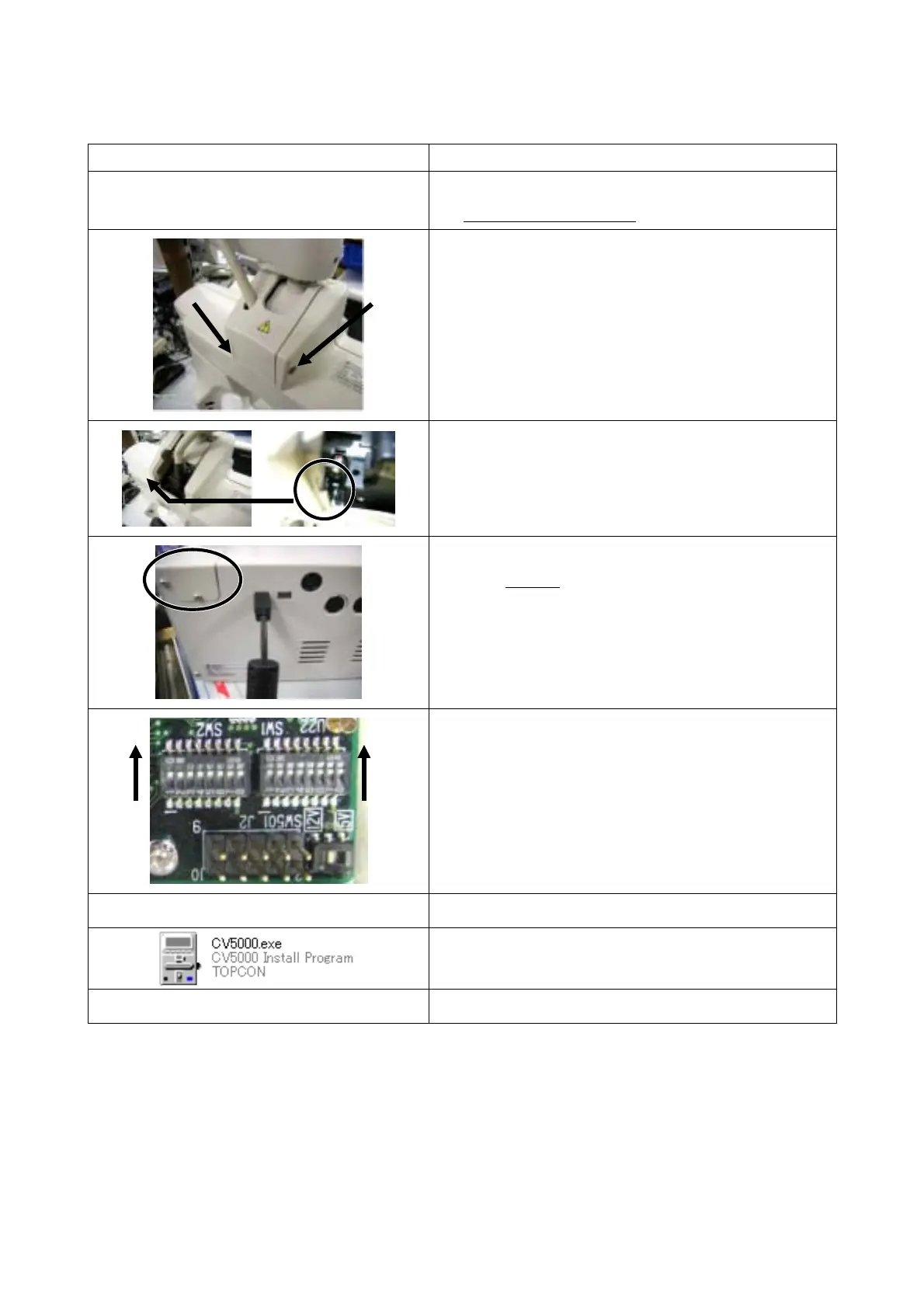
Operation procedure
1. Perform connection in the normal product condition.
* Do not connect KB-50.
2. Turn off the power of the power supply box.
3. Remove the hidden screws at 2 places, using
tweezers.
4. Remove the screws at the same places, using the
Phillips screwdriver.
5. Remove the cover.
6. Move down the slide switch at the left inner place,
using tweezers or others.
(If it is difficult to perform this work, remove the
center connector temporarily.)
7. Connect the USB mini-B cable to the USB terminal
at the left side
of the power supply box.
8. Connect the cable to the USB terminal of the
personal computer to which the special software is
installed.
9. Open the cover of the power supply box.
10. Note the current DIPSW status inside the cover.
11. Set SW1 and SW2 of DIPSW to “ON”, using
tweezers or others.
12. Turn on the power of the compact power supply.
13. Open the CV-5000 folder on the desktop of the
personal computer and start “CV5000.exe”.
14. Select “TagerModel: CV-5000”.



 To Next Page