40 FC-500 Handheld Field Controller Owner’s Manual
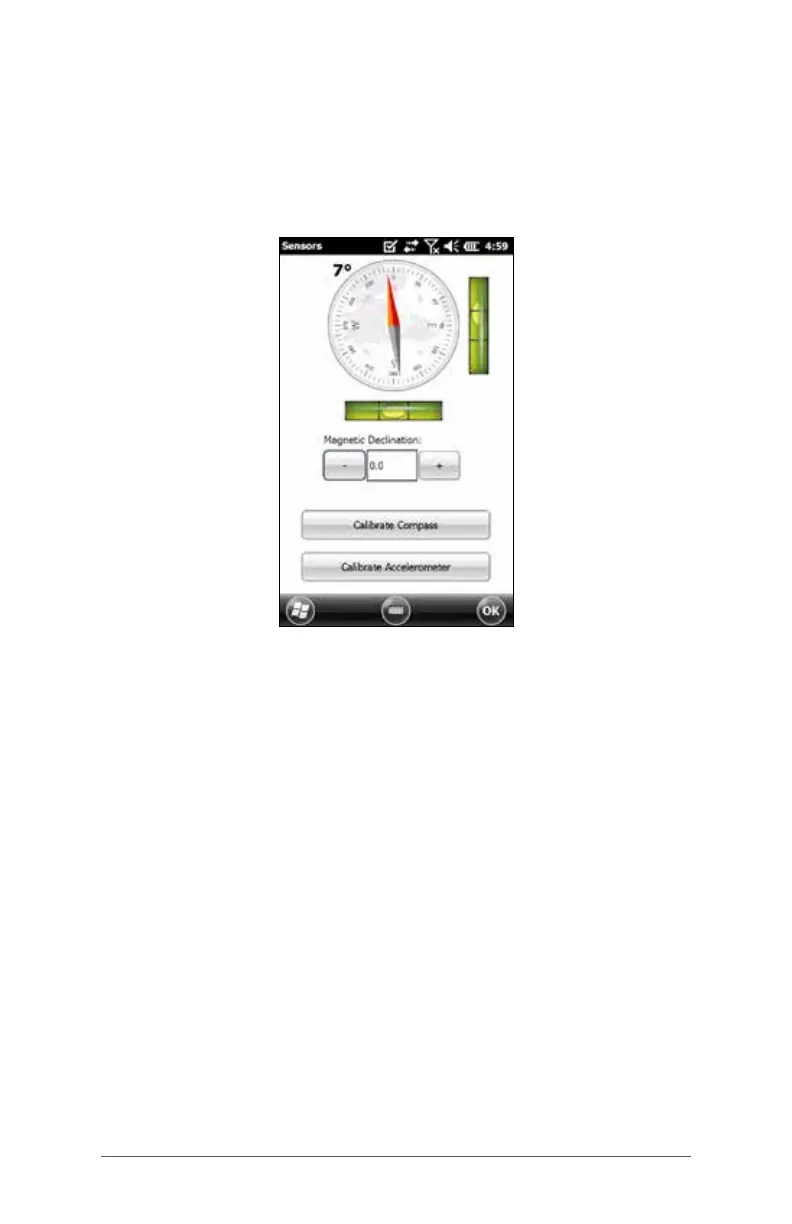
Sensors Control Panel
The Sensors control panel lets you see the compass and
accelerometer working, set the magnetic declination
angle, and calibrate the sensors. Press Start > Settings >
System > Sensors.
The Magnetic Declination angle is the difference
between true north and magnetic north. Applications
that are using true north use this value to adjust the
readings from the compass.
To calibrate the compass, press Calibrate Compass.
Rotate the handheld around all three axis several times in
every orientation possible (for at least 10 seconds). Press
Stop when you are done. Calibrating the compass is
very important and needs to be done often. Changes in
environment, added attachments to the handheld, and
mounting options can affect the sensor readings. If you
are mounting the handheld to a pole, mount it rst and
then calibrate the compass.
When the accelerometer is calibrated, you are telling the
handheld that this is level, remember this. It is important
that the handheld is laying on its back on a level
surface. If the stylus holder on the hand strap makes the
handheld uneven, you can try placing it on two equal-



 To Next Page