16 FC-500 Handheld Field Controller Owner’s Manual
Display and Touchscreen
The FC-500 has a bright color display and capacitive
touchscreen with a diagonal viewing area of 4.3 inches (109
mm). It is easy to view outdoors and is sealed against water
and dust. The Windows
®
Embedded Handheld operating
system enhances the ability of the FC-500 to recognize
touch gestures, making it easy to use a nger to make
selections and navigate. You can also use a capacitive
stylus.
Display Settings
Type and Orientation
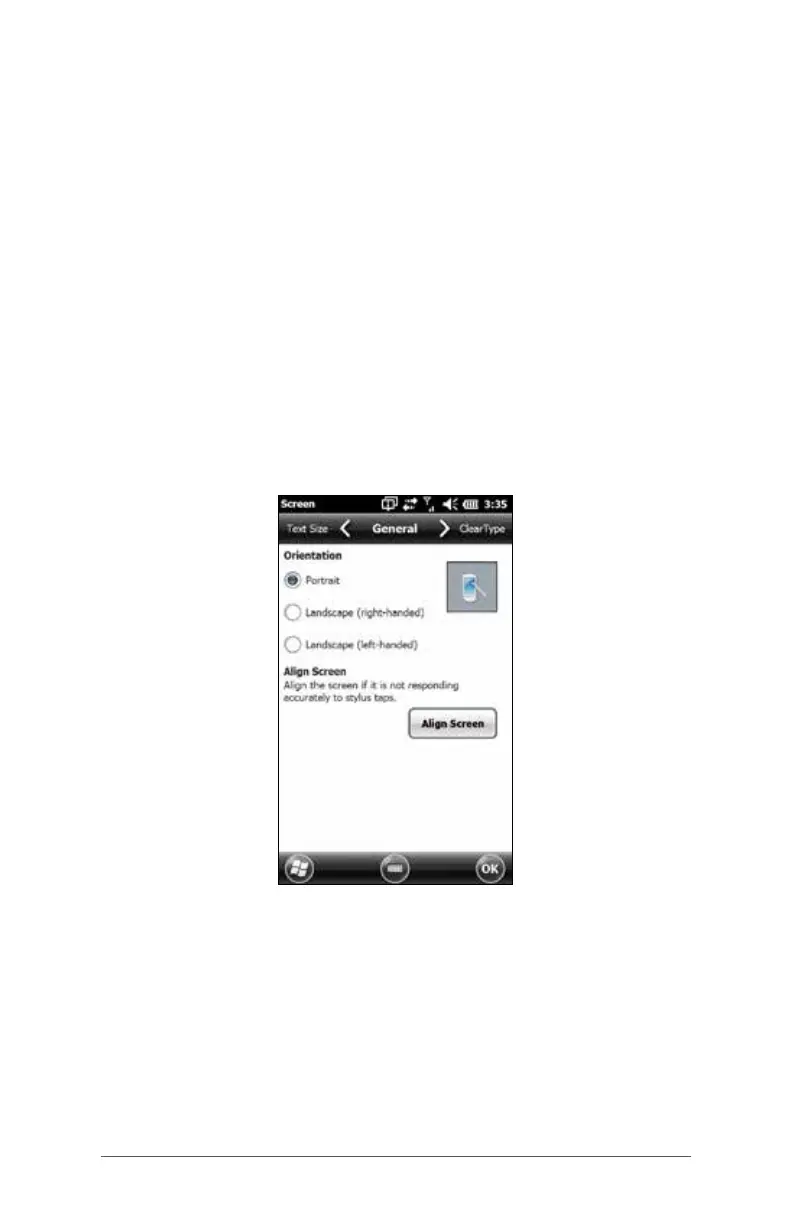
To adjust the display settings, including the text size and
orientation, go to the Screen control panel by pressing Start
> Settings> System > Screen.
The screen is designed to be used in portrait orientation. A
landscape orientation could impact the performance of an
application.
Note: Capacitive touchscreens do not need to be aligned.
Ignore the Align Screen option.



 To Next Page