4 FC-500 Handheld Field Controller Owner’s Manual
Apply a Screen Protector (Optional)
The touchscreen is extremely scratch resistant, so a screen
protector is not included with the FC-500. If you decide to
apply one, refer to the installation instructions included with
your screen protector for specic details.
Install the Battery Pack, SD Card, and SIM Card
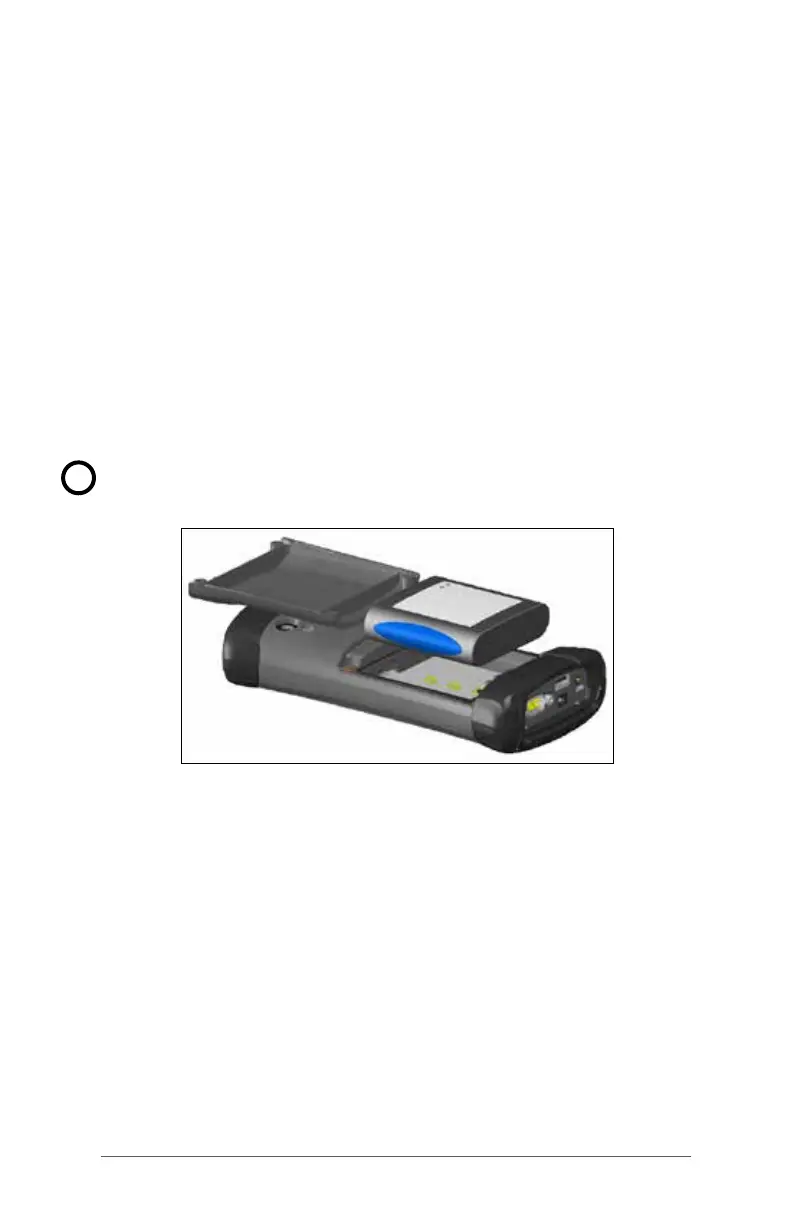
The FC-500 uses a rechargeable Li-Ion battery pack. Install
and charge the battery pack as follows:
1. The battery compartment is accessed from the back of
the handheld. Loosen the 4 captive screws holding the
battery compartment door in place using a #1 Phillips
screwdriver. Remove the door. You do not need to
remove the hand strap.
CAUTION: The FC-500 is not sealed against water and
dust when the battery door is not installed.
2. If you are using a micro SD card for additional memory
or a SIM card with the 3G Data Modem (optional), you
can install them now before you install the battery pack
or at another time. See more details about these cards
in Chapter 2, Hardware Components, Micro SD Cards
and Chapter 8, 3G Data Modem, Install the SIM Card.
!



 To Next Page