Resetting the Receiver
P/N 7010-0935
4-17
Resetting the Receiver
If the receiver stops responding via buttons or software, then perform
a hard reset. A hard reset should only be performed when the receiver
is powered on and not otherwise responding.
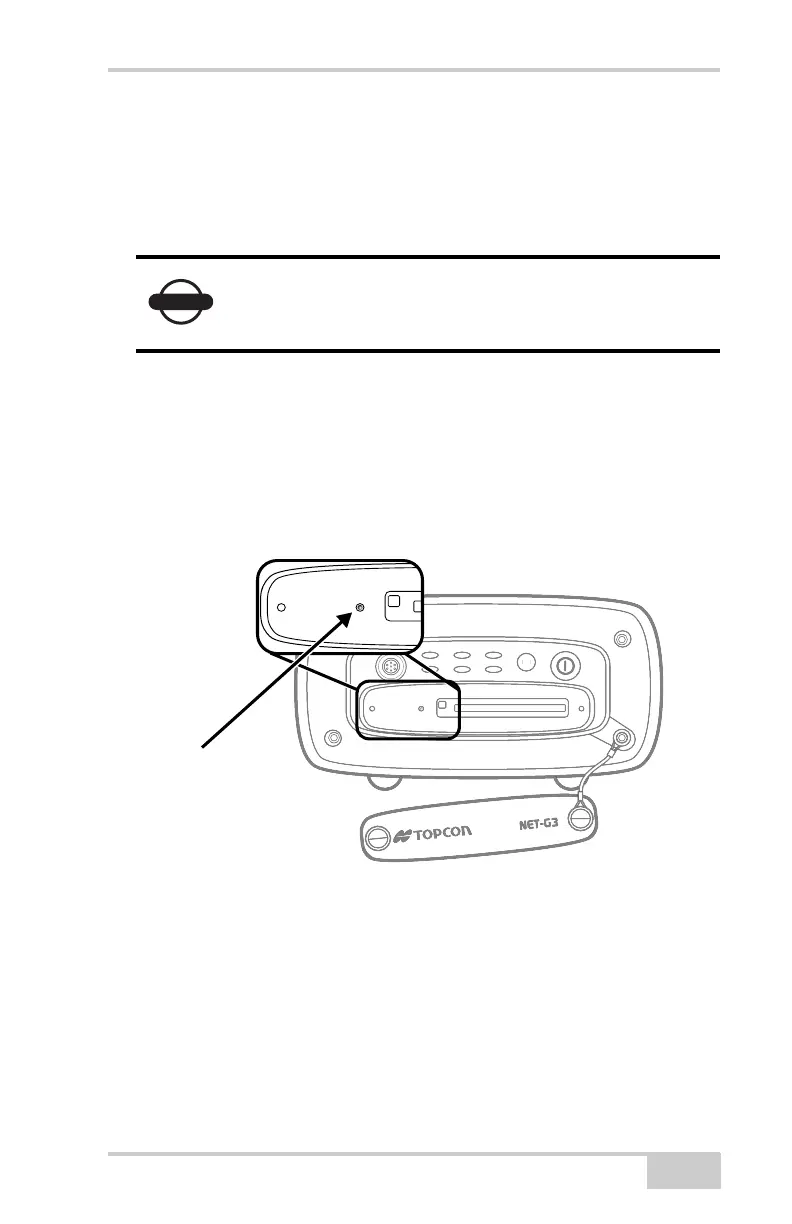
To perform a hard reset:
1. Remove the front door.
2. Insert a paper clip or any pointed stick small enough to fit into the
pinhole (Figure 4-15).
3. Gently press the reset button for about one second until the unit
powers off.
Figure 4-15. Reset the Receiver
A hard reset simply cycles the receiver’s power. It
does not erase information stored in the receiver’s
memory.
A
RX/TX
FN
STAT LINK PWR 1
PWR 2
RX
T
STAT
INK
WR 1
WR 2REC
Recessed Hard
Reset Button
Net-G3A_OM_Book.book Page 17 Thursday, May 14, 2009 8:49 AM



 To Next Page