27
6. SETTINGS FOR THE TOTAL STATION
3. The display returns to Meas mode and total
station enters "Waiting" mode. The Remote
Controller searches for the total station wireless
device and initiates a connection.
"7.2 Configuring Bluetooth Connections to
the Total Station"
4. When a connection has been successfully
established is displayed in the status bar.
• ● COM1 on the Remote Controller control panel
is lit.
•Press [Info] in the Bluetooth tab to display the Bluetooth device address.
6.2.2 Settings for Auto Pointing and Auto Tracking
• Auto Pointing model does not support Auto Tracking.
• Screens and settings described in this section are PS. For other models, see the Operator’s manual
for your total station.
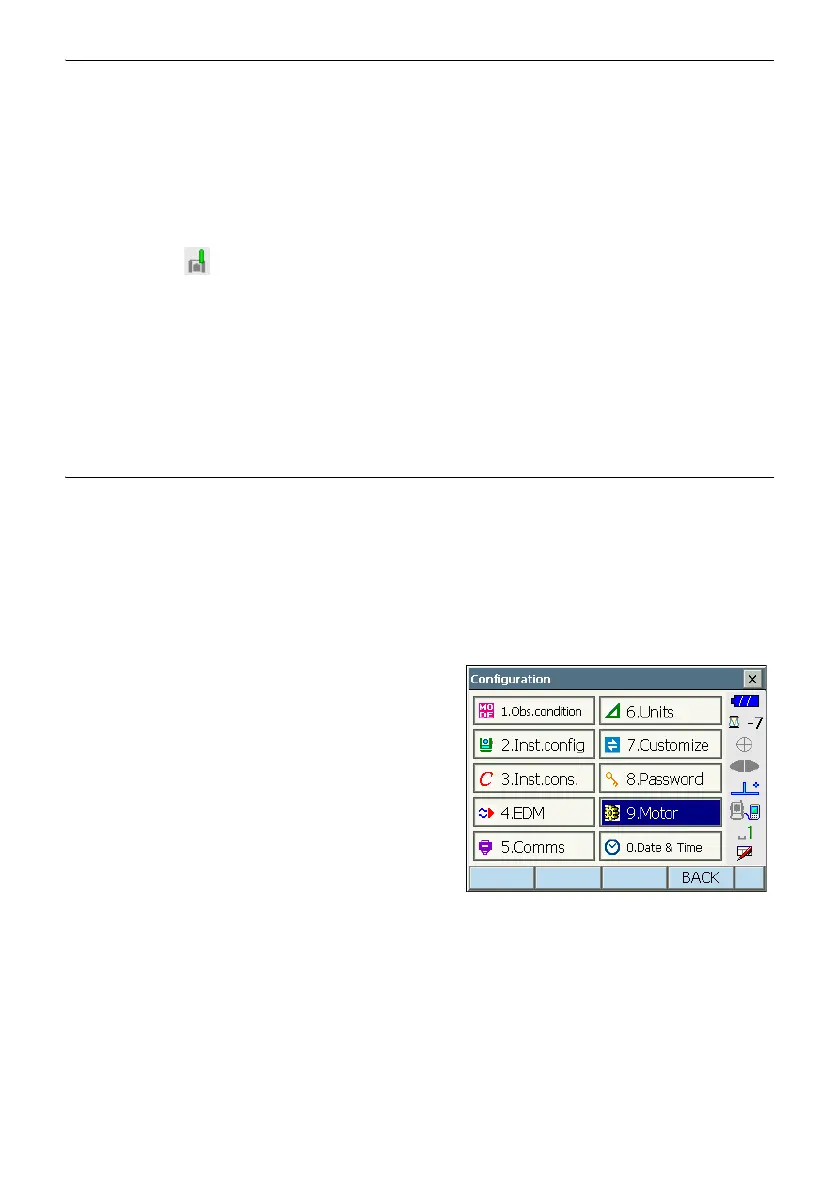
1. Select "Motor" in <Configuration>.
Set Auto Pointing/Auto Tracking functions in
the Configuration tab.
For Auto Pointing only set "A.T. Setting" to
"Search". For Auto Tracking, set "A.T. Setting" to
"Track" and "AUTO AIM" to "Fine".
Set "Srch method" to "R.C.".



 To Next Page