30
6. SETTINGS FOR THE TOTAL STATION
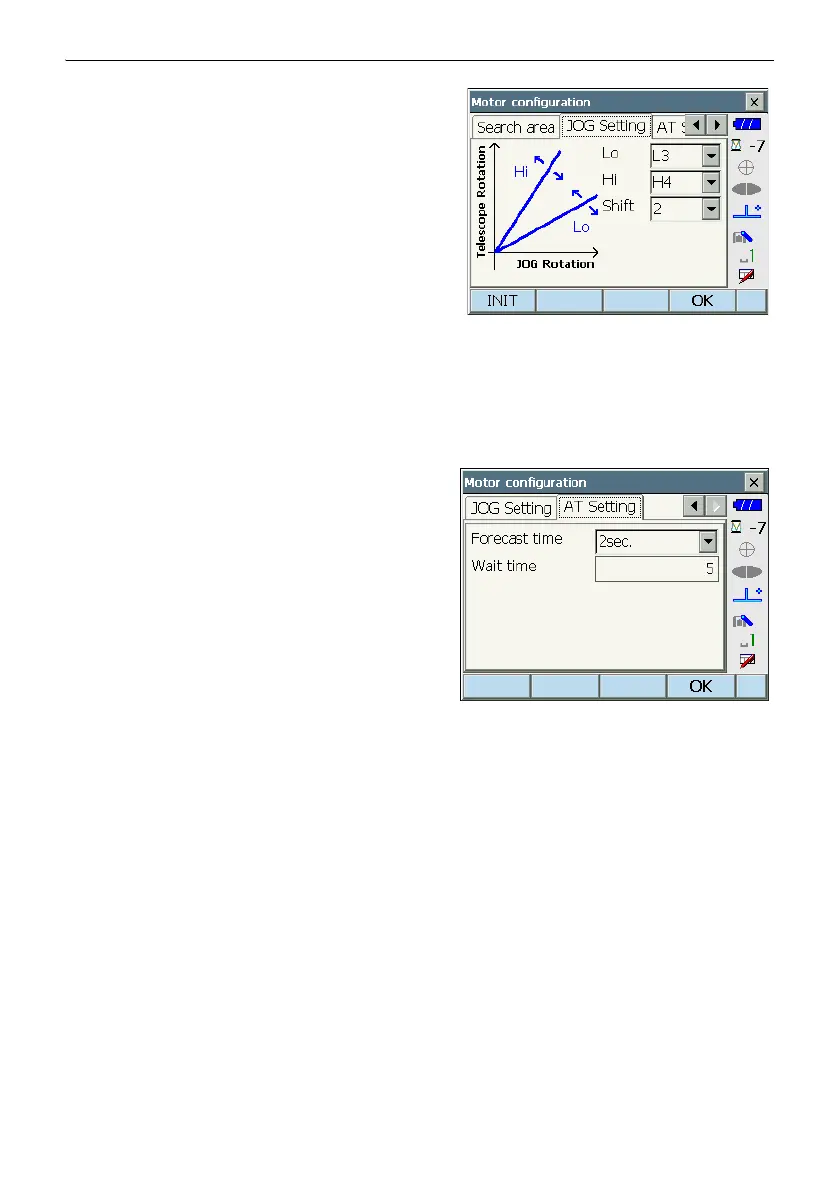
4. When necessary, set the Jog turning speed for
vertical and horizontal rotation of the telescope.
The "Shift" point signifies the dial turning speed at
which telescope rotation switches from the Lo
speed setting to the Hi speed setting.The higher
the "Shift" point setting, the faster the Jog turning
speed needed to activate the "Hi" speed setting.
Items set and options (PS)
(1) Lo
1 to 4 (steps. 4 is fastest)
(2) Hi
1 to 7 (steps. 7 is fastest)
(3) Shift point
1 to 6 (steps)
Press [INIT] to return JOG Setting tab settings
only to their factory settings.
5. Set "Forecast time" and "Wait time" / "Target lost".
"Forecast time", "Wait time", "Target lost":
Lost Prism
Items set and options (PS)
(1) Advanced Tracking :
Off*/On
(2) Forecast time
0.5 sec./1 sec./2 sec./3 sec./4 sec./5 sec./Auto
(3) Wait time
0 to 3600 (sec.)
• When setting "Wait time", [HOLD] is displayed.
Press [HOLD] to set "Wait time" to no limits.
" Lost Prism"
6. Press [OK].
Advanced Tracking
This setting refers to angle display when performing Auto Tracking.
In the "ON" setting, the angle display is stable when the target stops during Auto Tracking. The
"ON" setting may help measurements in scintillation in some degree.



 To Next Page