20 Preference Settings
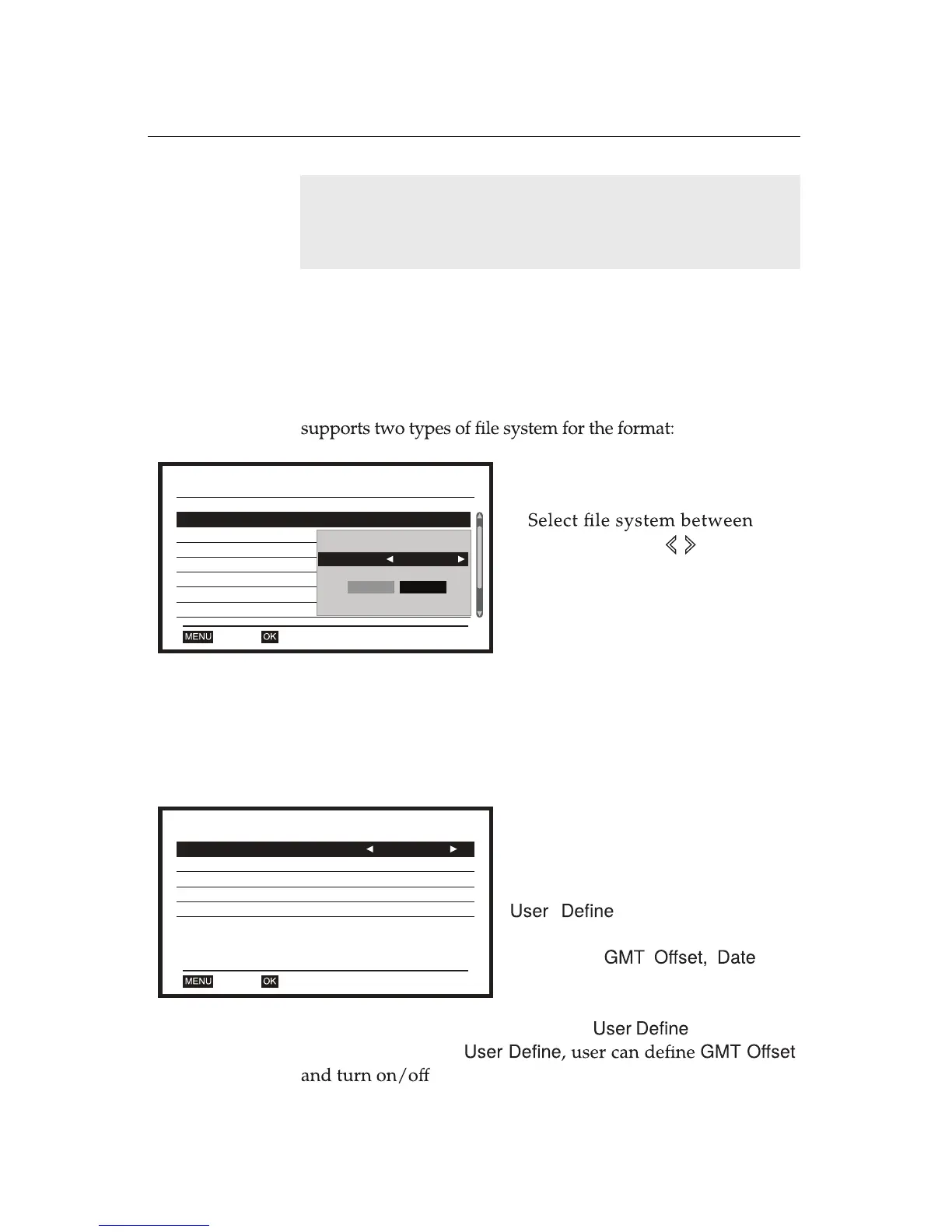
4.2 HDD/USB Format
NOTE
Only if the service you are currently watching provides a
Digital audio track, you can enjoy Digital sound.
You can format HDD and USB by selecting
HDD/ USB Format
. If
the digital receiver is connected to both HDD and USB, you can
choose one between them. In addition, the digital receiver
NTFS
and
FAT
.
System Setup
A/V Output
Auto
HDD / USB Format
Local Time Setting
OKExit
Reservation Setting
Parental Lock
On Screen Display Setting
Favourite
PVR Storage
Format
Disk Mode NTFS
OK Cancel
1. Select
HDD/ USB Format
from the
System Setup
sub-menu.
2.
FAT
and
NTFS
using buttons.
4.3 Local Time Setting
You should set your local time for the timer events. To set the local
time, you can use the time signal, Greenwich Mean Time (GMT)
which is carried as a part of the digital television broadcast.
Choose one between
By Region
and for your local
time. With selecting
,
Summer Timer
.
Select
Local Time Setting
from the
System Setup
sub-menu.
Choose one between
By Region
and
for your local time.
With selecting
By Region
, user
cannot set
, and
Time
.
Local Time Setting
GMT Usage
GMT Offset
Summer Time
OKExit
Date
Time
Melbourne, Canberra, Sydney, Brisbane, Viadivostok
User Define
UTC + 10:00
Off















 To Next Page