22hhhhhTa383a3N,3hb3jjCN<c
4.4 Reservation Setting
4.4.1 Reservation Setting : Channel
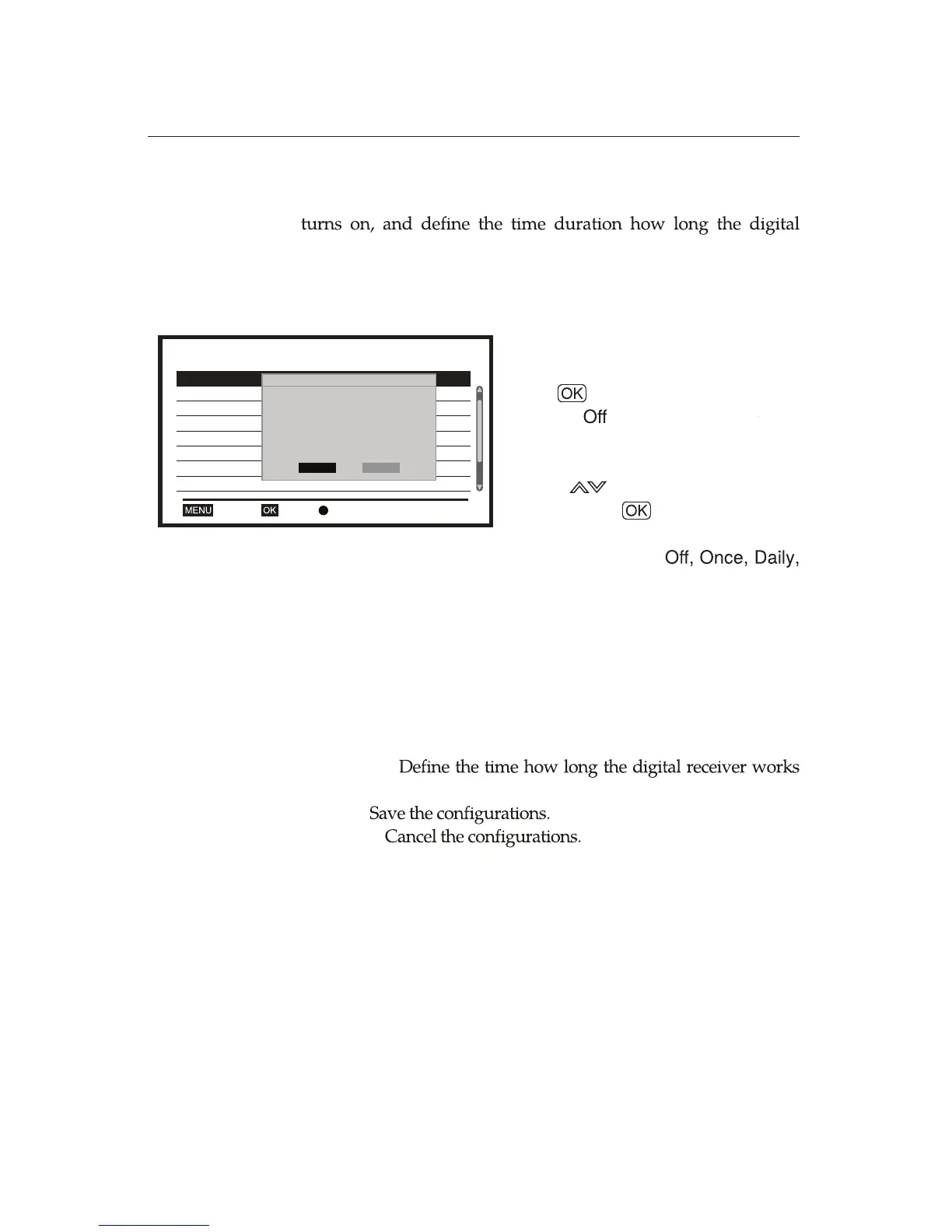
You can set the time when the digital receiver automatically
receiver works before going back to Standby Mode.
Maximum 30 timers are allowed to be dened.
Set the specic channel to be tuned when
digital receiver is turned on.
4.4.2 Reservation Setting : Record
You can make a reservation for recording a service by using
the similar procedures introduced in
the section Reservation
Setting: Channel
. Simply select
Record
from the
Timer
Service
option and follow the same procedures as introduced
in
the section Reservation Setting: Channel
.
Ë
Timer Service:
Select the
Record
between
Channel
and
Record
.
In the case that your digital receiver is not equipped with HDD
or USB, the digital receiver will work for the channel service.
Timer Mode
: Select the desired option from
Weekly
, and
Series
.
Timer Service:
Select the
Channel
between
Channel
and
Record
.
Wakeup Channel:
Wakeup Date:
Set the date when the digital receiver will be
turned on. It is available to use number buttons.
On Time:
Set the time when the digital receiver is turned on. It is
available to use number buttons.
Duration:
before going back to
Standby Mode
.
Save:
Cancel:
Ë
Ë
Ë
Ë
Ë
Ë
Ë
Ë
Ë
Select
Reservation Setting
.
Press button after choosing
On
between
and
On
.
To activate the following options,
use the buttons. Set each option
and press the button to save.
Reservation Setting 2/30
1 Once Record ABC2 07/15/2015 16:30 30:00
07/16/2015 16:40 30:00
2 Daily Record ABC2
3 Off
OK DeleteExit
4 Off
5 Off
6 Off
7 Off
8 Off
Timer Mode Once
Timer Service Record
Wakeup Channel ABC2
Wakeup Date 2015.07.15
On Time 16:30
Duration 30:00
Save
Cancel
20:10 2010-12-11















 To Next Page