5 Every Day Use
5.3 Information Box 29
NOTE
The digital receiver supports 8 Favourite Groups.
You can include your favourite service into each group by
using button. For more information about this, refer to
Chapter 6(Menu: Edit Channel).
In addition, you can modify your favourite group name by
going into the main menu System Setup. For more informa-
tion about this, refer to Chapter 4 (Menu: System Setup).
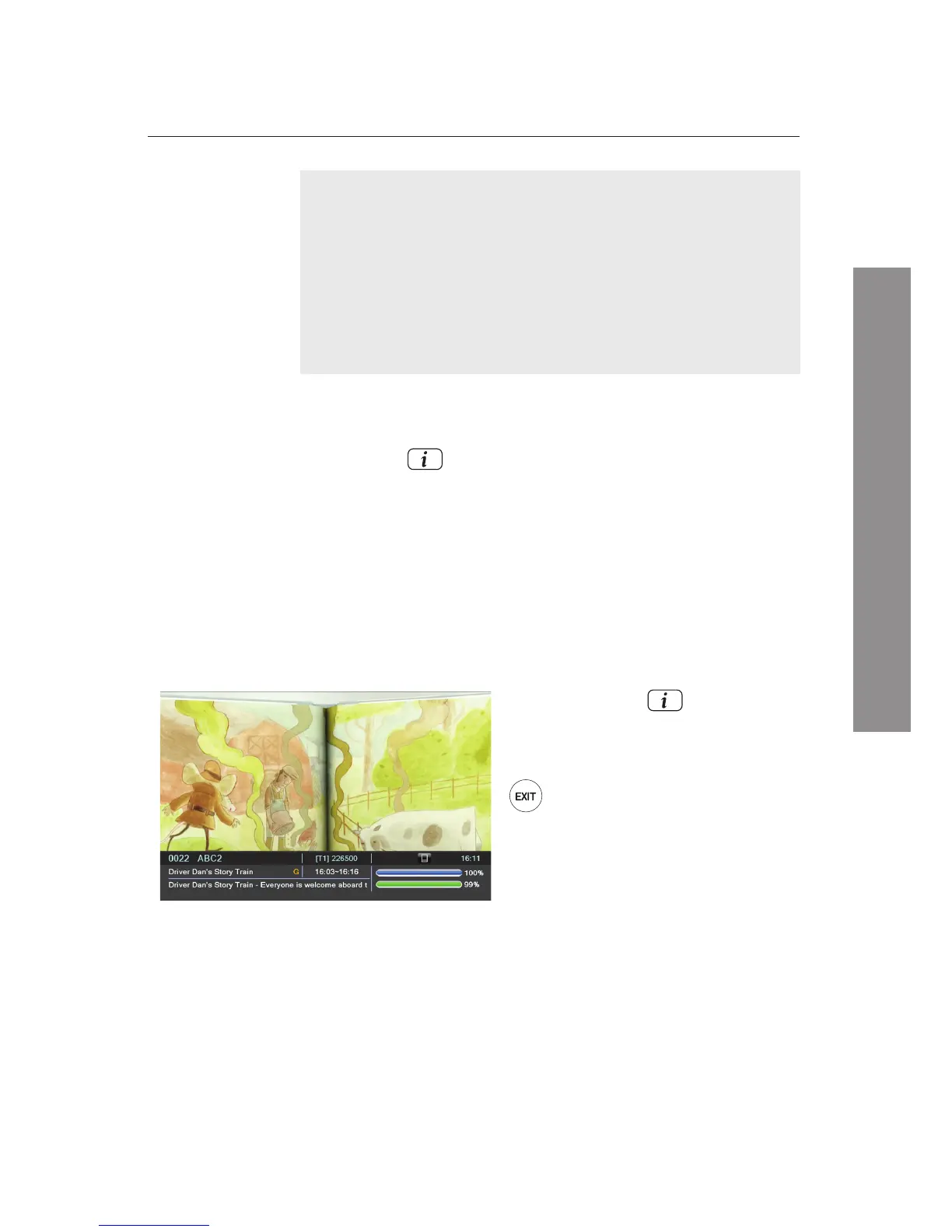
5.3 Information Box
Pressing the button displays the
Information Box
which
is located on the bottom of the screen. The
Information Box
shows the following information:
5.4 EPG : Electronic Program Guide
The EPG (Electronic Program Guide) provides users of televi-
sion, radio and other media applications with continuously
updated menus or scheduling information for current and
upcoming programmes.
By pressing the button again,
you can see detailed information
about the current programme.
To hide the information box, press
the button.
Service number and service name
Signal level and quality
Programme name, programme classication sign, and
programme summary
Favorite, skip, lock, subtitle, and EPG icons
Broadcasting time, and current time
Ë
Ë
Ë
Ë
Ë















 To Next Page