30hhhhh2q3awh/whmc3h
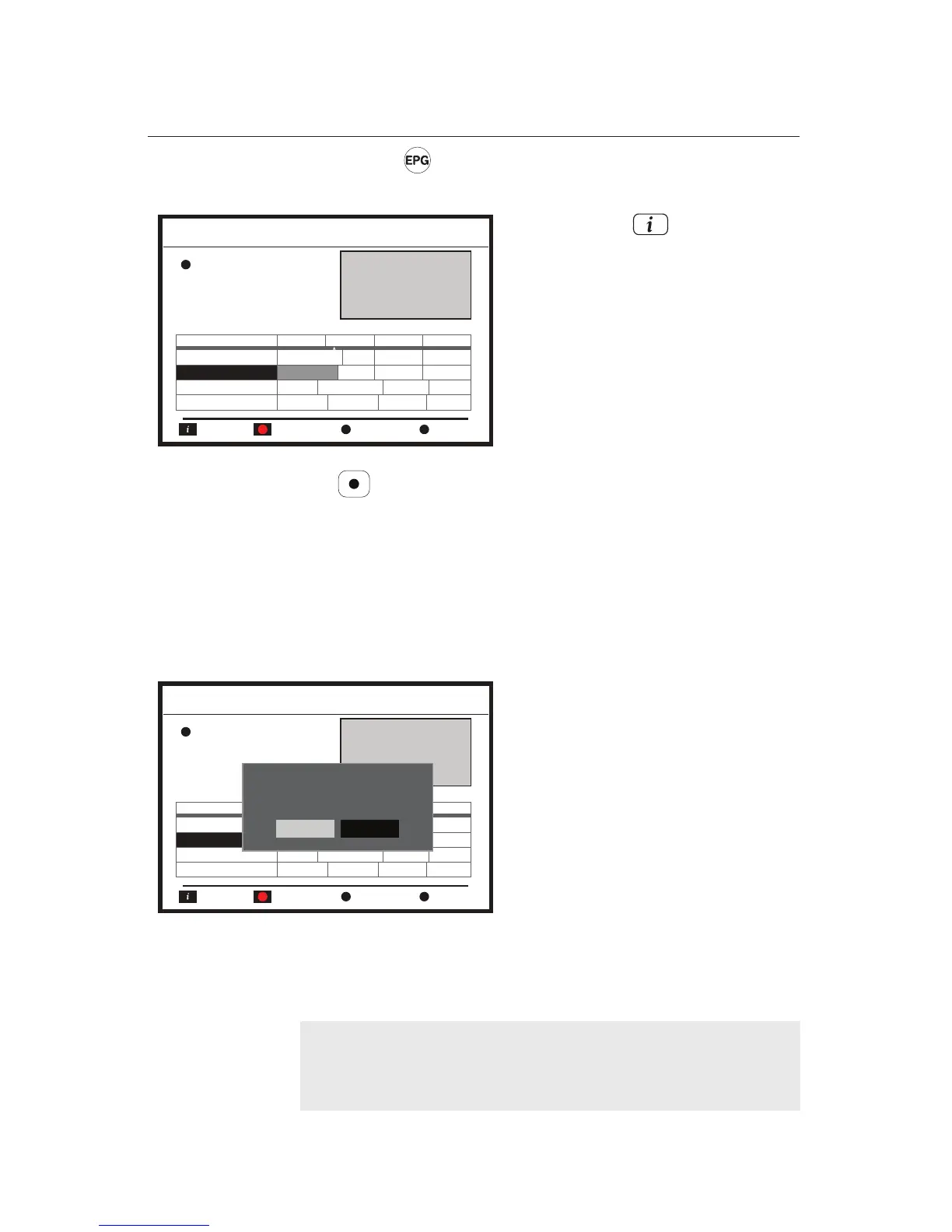
Pressing the button displays the EPG (Electronic Program
Guide) as follows.
The button (Timer) allows making reservation for record-
ing programmes both Series and Single. If you want to make a
reservation for Series, you are not allowed to modify informa-
tion of the Reservation Setting. For more information about the
reservation for Series recording, refer to Chapter 4 Menu:
System Setup.
However, if you will make a reservation for Single program,
you can modify the information of Reservation Setting.
In addition, the green button (Previous Day) and the yellow
button (Next Day) display the EPG data of the previous day
and the next day respectively.
Pressing the button shows
detailed information of a desired
programme after putting the
highlight bar on the programme:
Service Name, Event Name, Date,
and Event Information.
Reservation for Series recording
or Single recording.
If the timer is set, all programmes
scheduled in the Duration will have
green icons next to them indicating
reservation.
Program Guide
Timer Record Previous Day
Screen
Information
Date 16:30 17:00 17:30 18:30
0021 Service Name
Select channel for populating programme guide.
0022 Service Name Event
Event
Event
Event
0023 Service Name
0024 Service Name
0022 Service Name
Programme Name
Time
Next Day
Program Guide
Timer Record Previous Day
Screen
Information
Date 16:30 17:00 17:30 18:30
0021 Service Name
Select channel for populating programme guide.
0022 Service Name Event
Event
Event
Event
0023 Service Name
0024 Service Name
0022 Service Name
Programme Name
Time
Next Day
Series
Single
Select record type: Single or Serise?
NOTE
EPG
extended information does not display the
Parental
Ratings.















 To Next Page