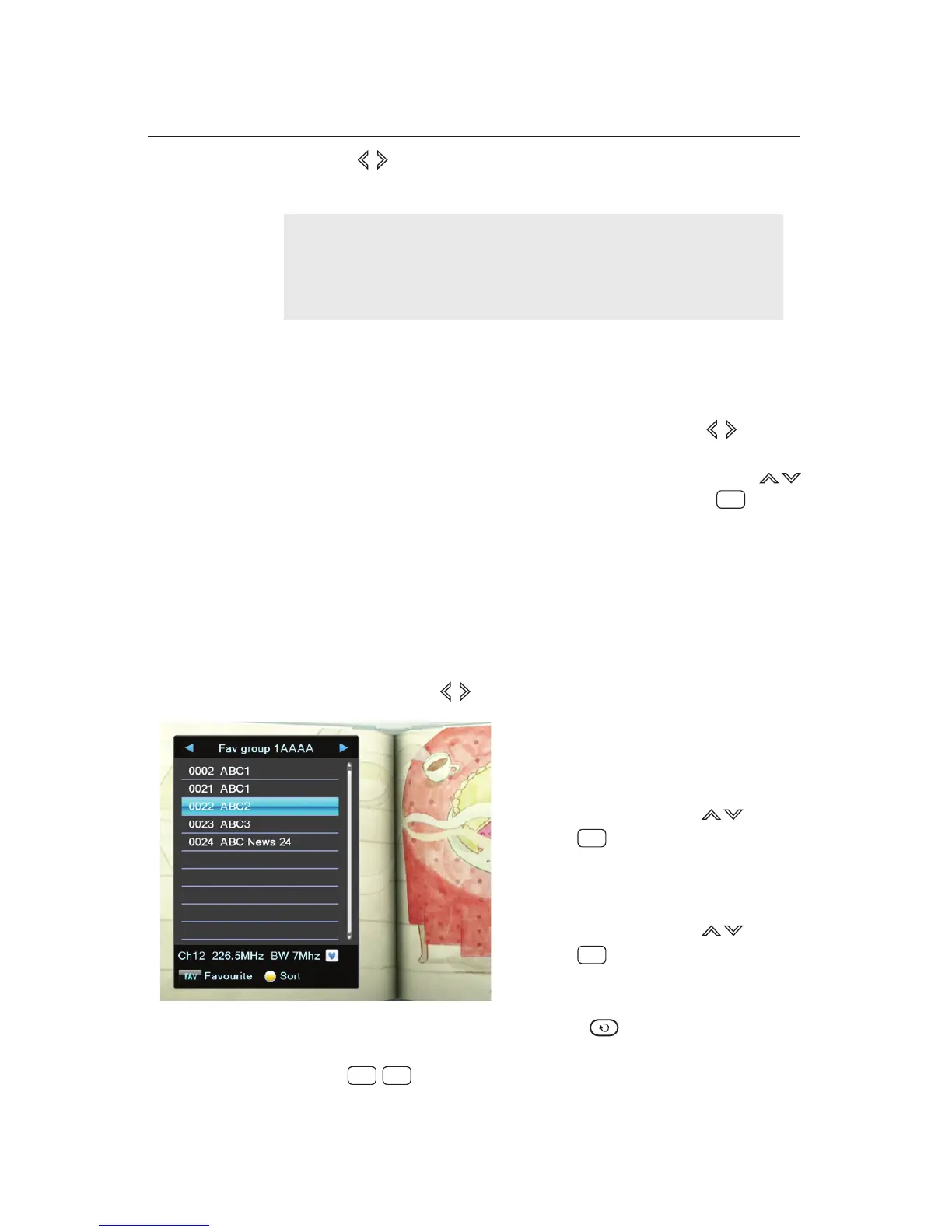
Put a highlight bar on a desired
favourite group using buttons.
Press button to display the
favourite services in the desired
favourite group.
Put a highlight bar on a desired
Press button to enjoy the
favourite service.
28hhhhh2q3awh/whmc3h
5.2.2 ALL TV
In the All TV Mode, you can see all services that have been
searched currently. To go into the All TV Mode, press buttons
in the Service List.
In the All TV Mode, you can choose desired service using
buttons. After choosing the service, simply press the button
to enjoy it.
The buttons allow moving to All TV Mode or to Favourite
List Mode.
4.
5.2.3 Favourite List Mode
You can select a service on the Favourite List as well as on the
Service List. Favourite List shows your favourite services that
you have included in the list before. To go into the Favourite
List Mode, press buttons in the Service List.
favourite service using buttons.
NOTE
It is necessary to check there is more than one channel in
the list. To scan channels, refer to the
Chapter 3
.
(Menu: Installation)
.
You can select a favourite service by
followings:
1.
2.
3.
4.
To select another group, press the button.
To switch to another service within the selected group, use
the buttons.
5.
6.
OK
OK
OK
P˰ PR















 To Next Page