6 Organising Services
6.2 Radio Channel List 33
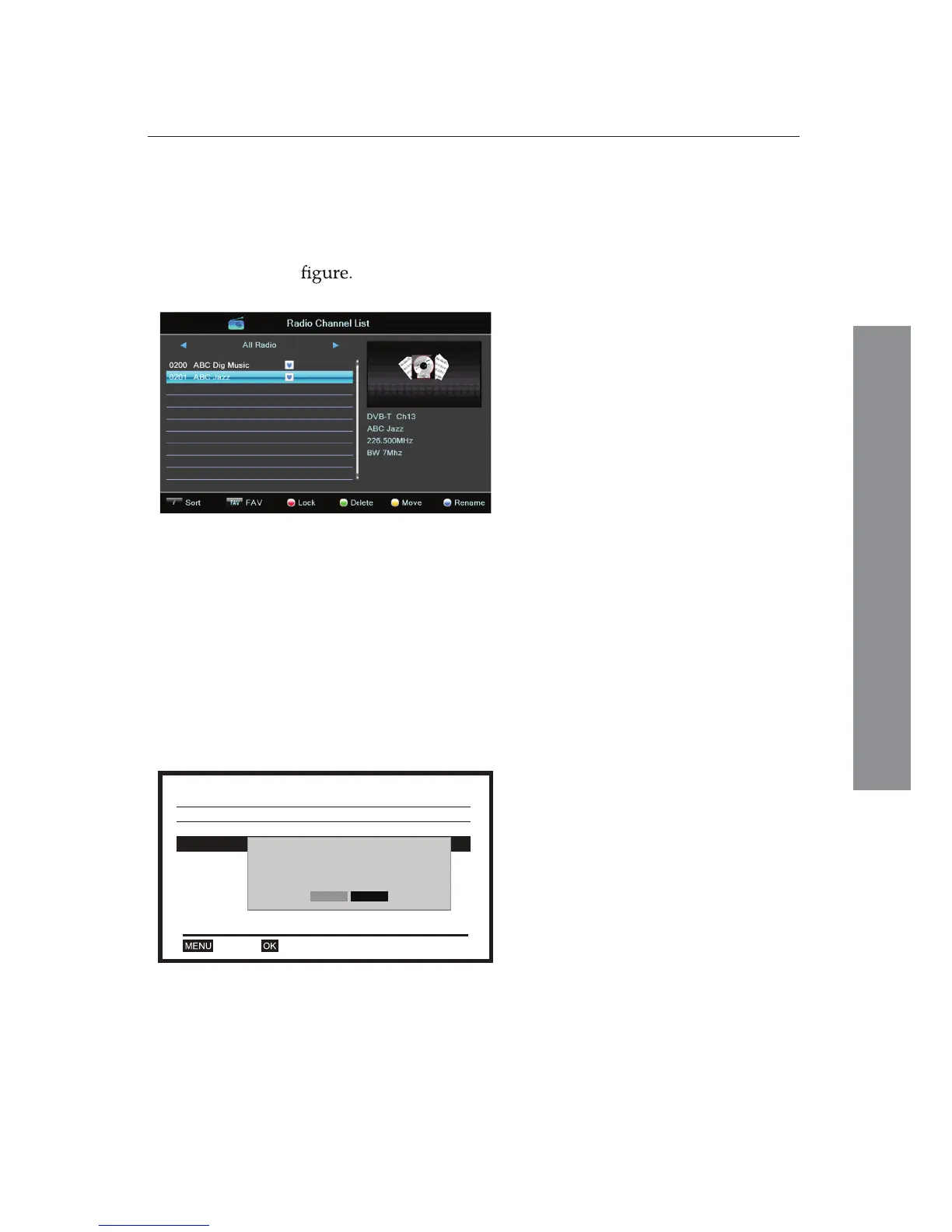
After selecting the Radio Channel List from the Edit Channel
three sub-menus, you will see radio channel list and
corresponding information of the selected channel as shown in
You can use the Radio Channel List to enjoy the entertainment
by using the same methods used in the TV Channel List.
6.2 Radio Channel List
After selecting the Delete All from the Edit Channel three
sub-menus, you will be asked if you want to delete all
channels.
6.3 Delete All
With selecting Yes, you can delete
all services that have been searched.
Edit Channel
TV Channel List
Radio Channel List
Delet All
OKExit
Warning! Do you really want to delete all
channels?
No
Yes
The Radio Channel List displays
information about the selected radio
channel: an Image of the selected
channel at the top right corner,
Programme Information of the
selected channel at the bottom right
corner, and the Channel List on the
left side of the screen.















 To Next Page