EasyManua.ls Logo

Toro Pro Control XP - User Manual

Toro Pro Control XP
20 pages
Print Icon
To Next Page IconTo Next Page
Loading...
FormNo.3365-850RevD
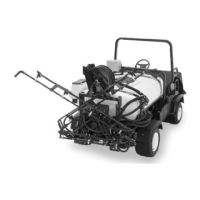
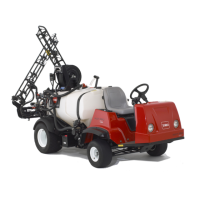
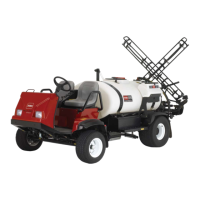
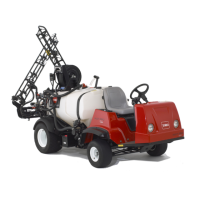
ProControl™XPSpraySystem
Multi-Pro
®
5800TurfSprayer
ModelNo.41604—SerialNo.311000001andUp
ToregisteryourproductordownloadanOperator'sManualorPartsCatalogatnocharge,gotowww.Toro.com.OriginalInstructions(EN)

Questions and Answers

  • E
    Edward LewisAug 12, 2025
    What to do if the Toro Paint Sprayer console computer displays a flashing Cal when starting the engine?
    • C
      christopherturnerAug 13, 2025
      If the console computer displays a flashing Cal when you start the engine, it could be due to loose battery connections. Ensure that they are secure. Another possible cause is insufficient battery voltage, so you should check the battery voltage. Also, ensure that Console keys 1 through 8 are assigned a value.
  • C
    chelsea95Aug 16, 2025
    What to do if the Toro Pro Control XP console computer displays a flashing Cal when turning the master switch on or off?
    • P
      Paul SmithAug 16, 2025
      If the console computer displays a flashing Cal when you turn the master switch to the On or Off position, it may be due to loose battery connections, so ensure they are secure. Another possibility is that the battery is not providing sufficient voltage, so check the battery voltage. Also, ensure that Console keys 1 through 8 are assigned a value.
  • J
    josephhammondAug 20, 2025
    What to do if the Toro Pro Control XP console computer displays a flashing Cal whenever you change the speed?
    • L
      Linda ChavezAug 20, 2025
      If the console computer displays a flashing Cal when you change the speed, it could be because the battery connections are loose; make sure they are secure. It could also be that the battery voltage is insufficient, so check it. Also, ensure that Console keys 1 through 8 are assigned a value.
  • F
    Frances CordovaAug 25, 2025
    Why does the total volume register flow inaccurately on my Toro Pro Control XP Paint Sprayer?
    • A
      Amanda KingAug 25, 2025
      If the total volume registers flow inaccurately on your Toro Paint Sprayer, first, ensure the flowmeter is installed in the direction of the flow. If that's correct, the flowmeter itself might be faulty, in which case you should test the flowmeter cable and repair or replace it if necessary.
  • N
    Nicole DavisAug 27, 2025
    Why is the speed inaccurate or unstable on my Toro Paint Sprayer?
    • C
      Cindy BatesAug 28, 2025
      If the speed is inaccurate or unstable on your Toro Paint Sprayer, ensure the wheel drive setting is set to SP3. If it is not, set the wheel drive setting to SP3. Also, verify that the Speed Cal number is correct and enter the correct Speed Cal number if needed.
  • B
    butlerlisaAug 31, 2025
    What to do if the total volume does not register on my Toro Pro Control XP Paint Sprayer?
    • M
      Maria ElliottSep 1, 2025
      If the total volume doesn't register on your Toro Paint Sprayer, potential causes include breaks or shorts in the flowmeter cable, so test the flowmeter cable and repair or replace it if necessary. Another cause could be a dirty or improperly adjusted flowmeter, so clean and make necessary adjustments inside the flowmeter. Finally, the flowmeter transducer might not be working correctly, so replace the flowmeter transducer if needed.
  • R
    Richard VasquezSep 4, 2025
    Why does the rate read 0000 on my Toro Pro Control XP Paint Sprayer?
    • C
      Carol ClarkSep 4, 2025
      If the rate reads 0000 on your Toro Paint Sprayer, it might be because the Speed Cal is zero, so enter the correct Speed Cal number. Another reason could be that the wheel drive setting is not set to SP3, so set it to SP3. Finally, ensure that the flowmeter is pointing in the direction of flow and is operating properly, as the Total Volume might not be registering the flow.
  • W
    Wanda BaldwinSep 7, 2025
    How to fix no display lights with the power on in Toro Paint Sprayer?
    • A
      ashleywatsonSep 8, 2025
      If there are no display lights when the power is on for your Toro Paint Sprayer, several things could be the cause. First, the fuse on the back of the console computer may be blown, so replace the fuse. Second, the battery connections might be loose, so secure them. Third, the power switch might not be working properly, so repair or replace it. Finally, there could be a problem with the processor board assembly, and you should have an Authorized Distributor replace it.

Summary

Safety

Installation

Loose Parts

Verification list of parts included in the installation kit.

Installing the Console Computer

Step-by-step guide for mounting the console computer assembly.

Installing the Flowmeter

Product Overview

Console Controls

Explanation of the console's switches, display, and keypad functions.

Keypad Reference Table

Operation Procedures

Initial Console Programming

Guide for setting up the console for the first operation.

Unit Selection (US, SI, TU)

Procedure to select preferred measurement units for the system.

Meter Calibration Entry

Inputting the flowmeter's calibration number into the console.

Application Rate Setup

Entering target application rates (Rate 1 and Rate 2).

Advanced Operation Features

Displaying Operational Data

Accessing and viewing various system data points.

Console Self-Test and Data Lock

Performing system diagnostics and managing data lock security.

System Setup and Testing

Power Down Delay and Alarm Settings

Configuring power saving features and application rate alarms.

System Setup Procedures

General procedures for preparing the spray system before operation.

Initial Field Testing

Maintenance and Calibration

Recommended Maintenance Schedule

Overview of service intervals and required maintenance tasks.

Flowmeter Maintenance

Procedures for cleaning and calibrating the flowmeter.

Console Programming and Boom Calibration

Reprogramming the console and calculating boom calibration data.

Calibration Procedures

Speed and Valve Calibration

Setting speed calibration numbers and control valve response time.

Optional Calibration Data Entry

Entering tank volume and time data for system monitoring.

Flowmeter Calibration and Testing

Flowmeter Calibration Process

Detailed steps for calibrating the flowmeter.

Flowmeter Cable Testing

Diagnostic steps to test the flowmeter cable for faults.

Troubleshooting Guide

Important Notes

Toro Pro Control XP Specifications

General IconGeneral
BrandToro
ModelPro Control XP
CategoryPaint Sprayer
LanguageEnglish

Related product manuals