Web Control Panel
41
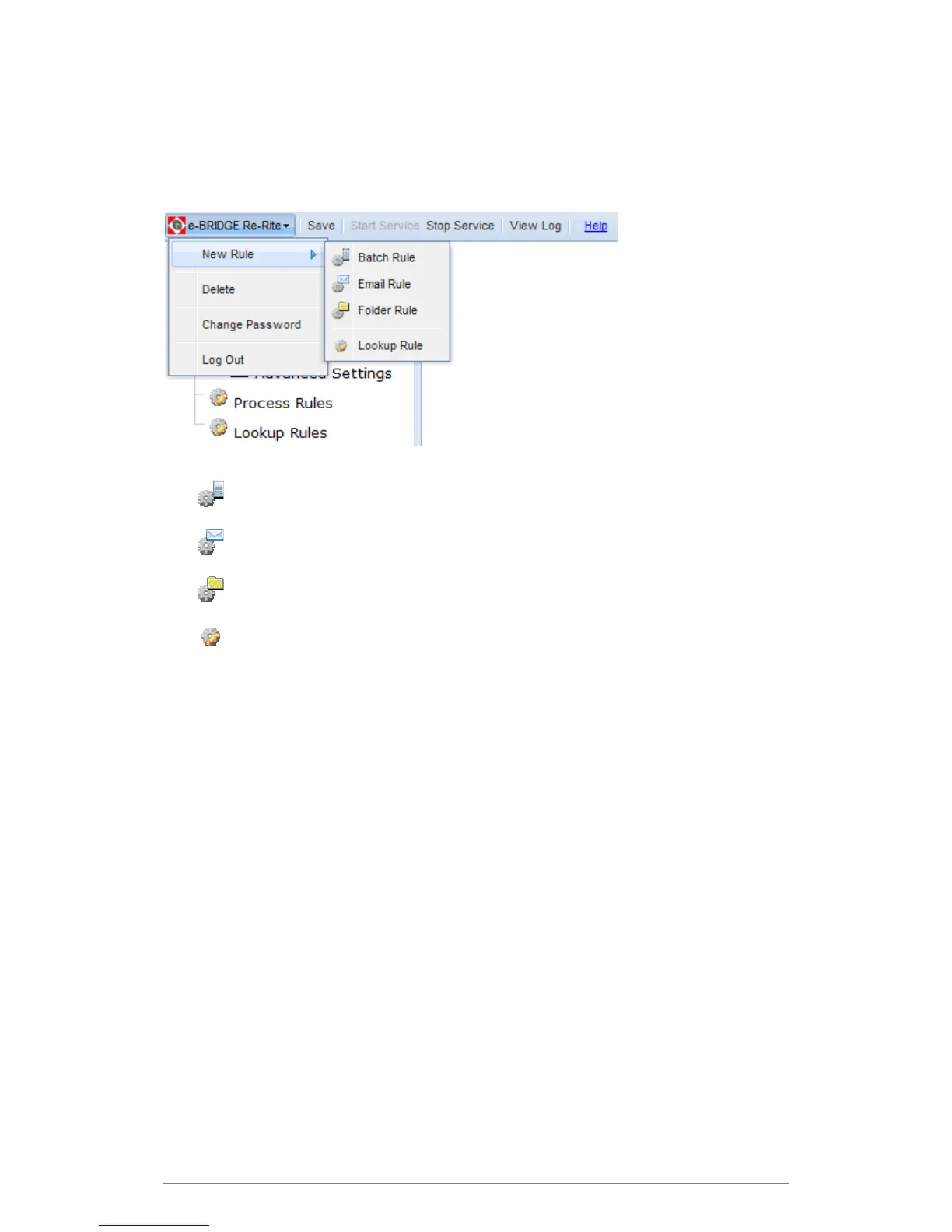
e-BRIDGE Re-Rite Menu
The e-BRIDGE Re-Rite menu contains the following commands:
New Rule
Batch Rule
Creates a batch rule.
Email Rule
Creates an email rule.
Folder Rule
Creates a folder rule.
Lookup Rule
Creates a lookup rule.
Delete
Deletes a rule.
Change Password
Allows the user to change log-in password.
Log Out
Disconnects from the web application.
Save
Saves the rule.
Start Service
Starts the e-BRIDGE Re-Rite Service.
Stop Service
Stops the e-BRIDGE Re-Rite Service.
View Log
Displays a drop-down list which contains all the log files with recent log file on top of the list.
Download
Click this button to save a local copy of the selected log file.
Send Log
Click this button to send the selected log file from the drop-down list to the specified
administrator email address.
Close
Close the View Log window.



 To Next Page
 Loading...










