Installation
5
Uninstalling the e-BRIDGE Re-Rite Software
All configuration files will be retained after un-installation together with the
Whitelist.txt. A backup of the registry and whitelist.txt is created and saved in:
• %ALLUSERSPROFILE%\Application Data\e-BRIDGE\Re-Rite (for XP and
2003)
• %ALLUSERSPROFILE%\e-BRIDGE\Re-Rite (for Vista and up)
If you would like to restore your previous registry settings, you can just re-execute the e-
BRIDGE Re-Rite 8.1.0 installer and if it finds a backup of the registry file and
Whitelist.txt, it will attempt to restore it during the installation process.
1. Select Control Panel and double click [Add or Remove Programs] in Windows
XP and 2003 or [Programs and Features] (for Windows Vista and up).
2. Select e-BRIDGE Re-Rite v8.1.0 and click Change/Remove to launch the e-
BRIDGE Re-Rite installer for un-installation.
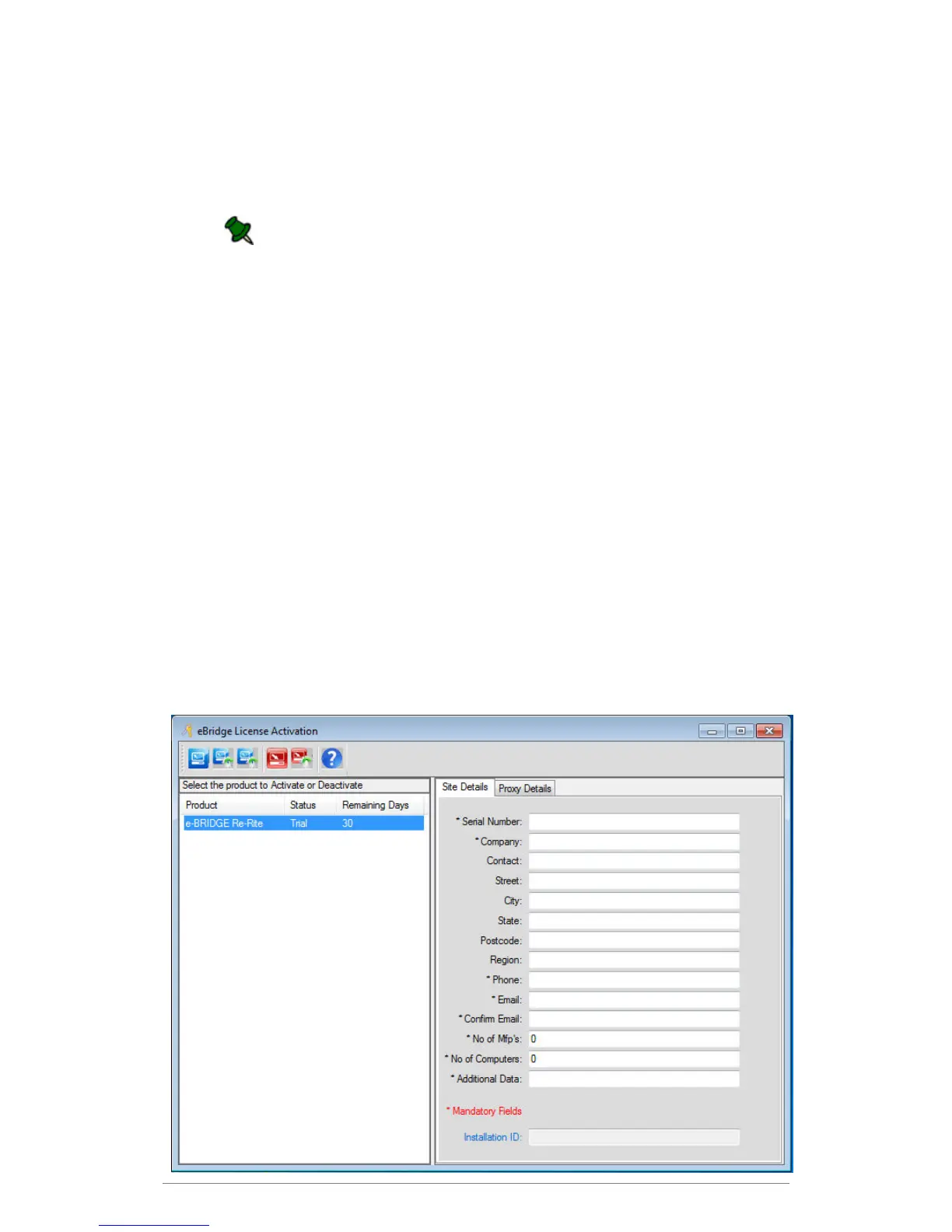
Registering a Software License
Each installation has a 30 day trial period during which you can use the software without
registering. Once the 30 day trial period is complete, e-BRIDGE Re-Rite will stop working and
you will not be able to convert scanned documents until you complete the registration process.



 To Next Page
 Loading...










