EasyManua.ls Logo

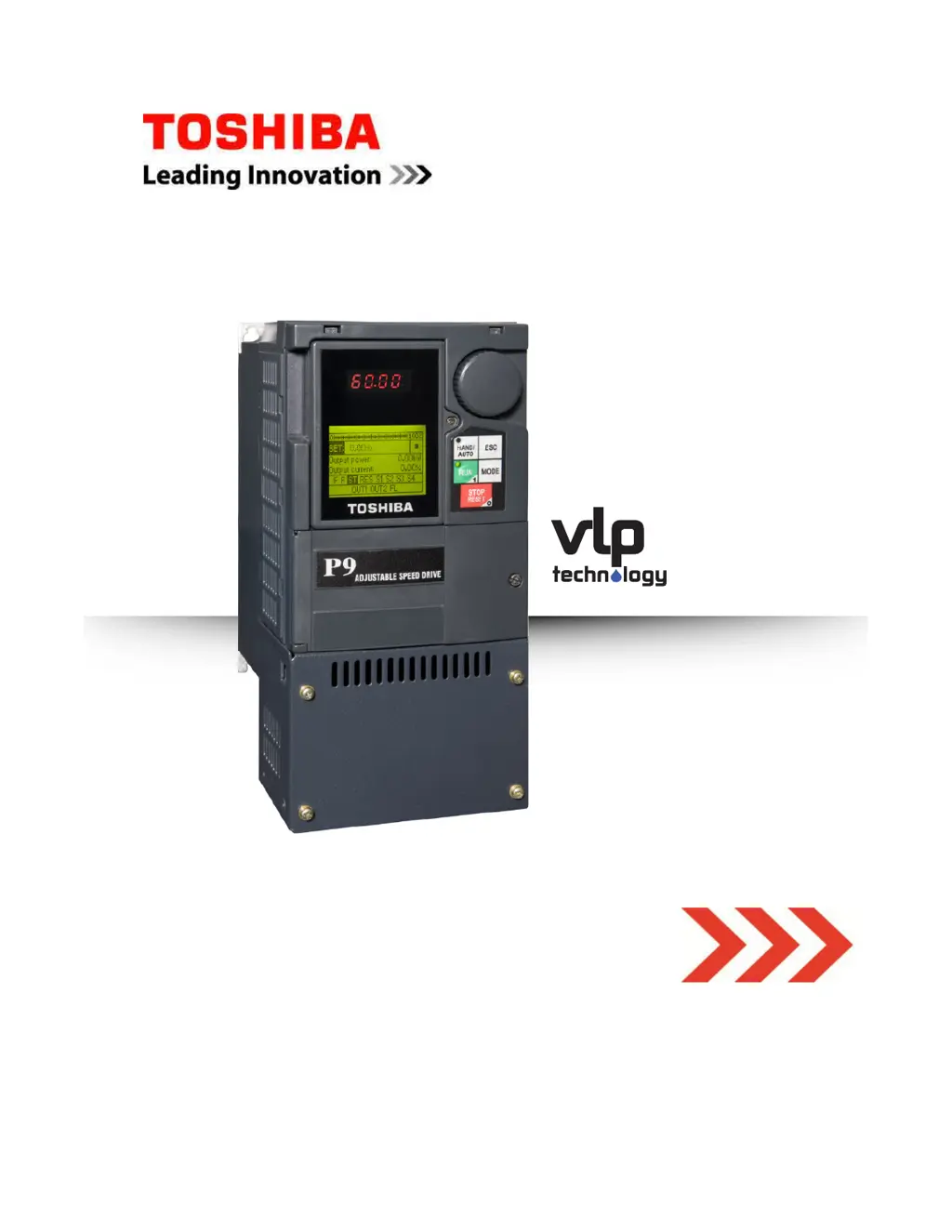
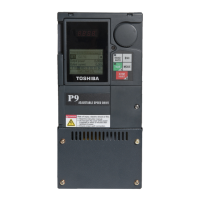
Toshiba P9 ASD - User Manual

Toshiba P9 ASD
105 pages
Print Icon
To Next Page IconTo Next Page
Loading...
P9 ASD Quick Start Guide
TOSHIBA
P9 ASD
Quick Start Guide
DN: 64055-005
October, 2014
Phone: 800.894.0412 - Fax: 888.723.4773 - Web: www .ctiautomation.net - Email: info@ctiautomation.net

Table of Contents

Questions and Answers

  • J
    josephgayAug 17, 2025
    Why is my Toshiba Inverter in Emergency Off mode?
    • U
      uwelchAug 17, 2025
      If your Toshiba Inverter is in 'Emergency Off' mode, you need to investigate and correct the stop condition. Ensure the reset function is operating correctly, especially if the reset button was pressed twice at the EOI. Also, identify and address the source of any remote EOFF commands. Finally, perform a reset of the ASD.
  • B
    bowendonnaAug 21, 2025
    How to fix an overheating Toshiba Inverter?
    • J
      John CruzAug 21, 2025
      If your Toshiba Inverter is overheating, implement cooling solutions to reduce its temperature. Relocate the ASD away from heat sources. Clear any obstructions to the cooling fan vent. If the cooling fan is inoperative, repair or replace it. If the internal thermistor is disconnected, reconnect or replace it.
  • D
    Dylan JacobsonAug 25, 2025
    What causes ASD Overload in a Toshiba P9 ASD Inverter?
    • P
      paul72Aug 25, 2025
      To address an ASD Overload in your Toshiba Inverter, lower the carrier frequency setting. Reduce the load to within the ASD's capability. Increase the acceleration time setting. Adjust the DC damping rate to a suitable level. Avoid starting the motor into a spinning load after a momentary power failure. Ensure the ASD is suitable for the application.
  • T
    Thomas BoyerAug 27, 2025
    How to troubleshoot Motor Overload on a Toshiba Inverter?
    • Z
      zcookAug 27, 2025
      If your Toshiba Inverter reports a Motor Overload, verify and adjust the V/f parameter settings. Resolve any locking condition of the motor. Avoid continuous operation at low speed. Reduce the load on the motor. Check for and repair any disconnected or damaged cables, especially while operating in the PG Feedback Vector Control mode.
  • T
    Travis RobertsAug 31, 2025
    What causes Main Under-Voltage in a Toshiba P9 ASD?
    • A
      Alex AguirreAug 31, 2025
      If your Toshiba Inverter is experiencing a Main Under-Voltage issue, check and restore the 3-phase commercial voltage. Ensure the PO-to-PA jumper is secured or replace it if missing. Review and correct any typeform settings. Restore the externally-supplied control power.
  • K
    Kimberly HansonSep 3, 2025
    How do I fix a Comm1 Error on my Toshiba P9 ASD Inverter?
    • N
      Nicholas ButlerSep 3, 2025
      If you're encountering a Comm1 Error with your Toshiba Inverter, review the programming of the ASD. Check and correct the communication settings. Inspect and reconnect cables as necessary.
  • K
    Katherine Harris MDSep 6, 2025
    What to do if a Toshiba P9 ASD shows Low Suction/No Flow Cut Off?
    • A
      Anna PorterSep 6, 2025
      If your Toshiba Inverter is experiencing Low Suction or No Flow Cut Off, check the suction pressure and ensure the pump output valve is open. Verify the discrete input terminal configuration. Adjust the ASD Upper-Limit Frequency settings.
  • H
    hgomezSep 9, 2025
    Why is my Toshiba Inverter showing Under-Voltage at Control Power?
    • G
      Gary JonesSep 9, 2025
      If your Toshiba Inverter shows Under-Voltage at Control Power, replace the faulty control board. Reduce the load on the power supply. Check and improve the input voltage.
  • L
    Lisa MooneyNov 13, 2025
    What to do if my Toshiba P9 ASD Inverter shows an Over-Current error?
    • V
      veronicastevensNov 13, 2025
      If your Toshiba Inverter is showing an over-current error, several factors could be responsible. You should check for defective IGBTs (U, V, or W) and replace them if necessary. Ensure the ASD output to the motor is correctly connected and check for any phase-to-phase shorts, correcting them as needed. Avoid starting the ASD when the motor is already spinning. Clear any jams in the motor or machine. Make sure the mechanical brake is not engaged during ASD start or run. Increase acceleration and deceleration time settings if they are too short, and reduce the voltage boost setting if it's too high. Stabilize the load to prevent fluctuations. Improve cooling or ventilation for the ASD. Finally, check for and repair any damaged or disconnected cables, especially when operating in PG Feedback ...

Summary

General Safety Information

Qualified Personnel

Specifies requirements for personnel performing installation, operation, and maintenance.

Installation Precautions

Conductor Routing and Grounding

Details proper methods for routing conductors and grounding the ASD.

Power Connections Precautions

Provides critical safety warnings for making power connections to the ASD.

System Integration Precautions

Personnel Protection

Emphasizes protection for personnel from hazards during operation.

System Setup Requirements

Lists requirements and considerations for setting up the ASD within a system.

Operational and Maintenance Precautions

Installation and Connections

Mounting the ASD

Details thermal specifications and mounting recommendations for the ASD.

Connecting the ASD

Explains how to connect the ASD and its components.

Power Connections

Highlights severe shock hazards related to power connections.

Power Connection Requirements

Details requirements for connecting power to the ASD, including NEC compliance.

Electronic Operator Interface (EOI)

EOI Features

Describes the functions of keys, screens, and the rotary encoder on the EOI.

System Operation

Initial Setup

Introduces the Standard Startup Wizard for initial ASD configuration.

Standard Startup Wizard Parameters

Lists the key parameters configured by the Standard Startup Wizard.

Operation (Hand)

Provides step-by-step instructions for operating the motor in Hand mode.

System Configuration and Menu Options

Monitor Mode

Program Mode Menu Navigation

Virtual Linear Pump (VLP)

VLP Setup Wizard

Guides the user through configuring the VLP system using a wizard.

Alarms, Trips, and Troubleshooting

Alarms and Trips

Lists user-notification codes for faults, alarms, and trips, and how they are displayed.

Alarms

Lists P9 ASD alarm codes, descriptions, and possible causes/troubleshooting.

Trips;Faults

Viewing Trip Information

Short Circuit Protection Recommendations

Toshiba P9 ASD Specifications

General IconGeneral
BrandToshiba
ModelP9 ASD
CategoryInverter
LanguageEnglish

Related product manuals