- 20 - tousek / E_PULL-T24-T24speed_49002410 / 06. 08. 2019
Impulse mode Operating mode
stop, start of pause time: An impulse during the opening movement stops the gate and starts pause time in automatic
operation. When the pause time has run out, the gate closes automatically.
impulse suppression when opening: Commands received during the opening movement are suppressed,
commands during closing are accepted.
pause time extension: A command during pause time restarts the pause time. If this menu point is chosen, an impulse
suppression during opening is active at the same time.
G
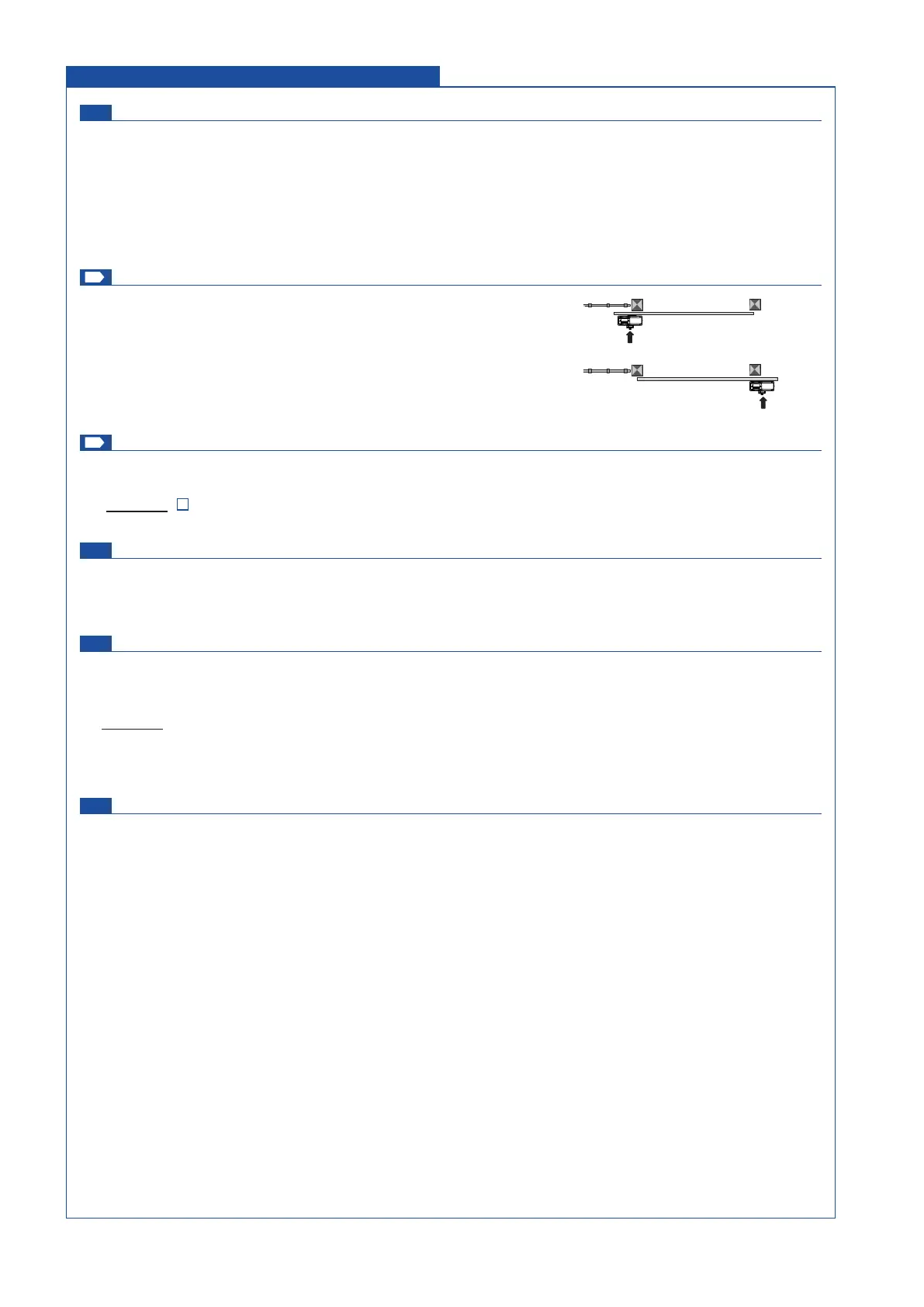
Opening direction Operating mode
<<<
–
left: gate opens to the left side (seen from inside)
–
>>> right: gate opens to the right side (seen from inside)
This adjustment is ONLY adopted in CLOSED-position.
G
Operating mode Operating mode
Impulse mode: Impulse through impulse switch/button or CLOSE-button to start closing of gate.
aut. close 1-255s adjustable [increment 1]: gate closes automatically after the adjusted pause time
(Exception:
see adjustment „Automatic mode“ / „only complete opening“).
Partial opening 30% (factory setting) Operating mode
10–100% adjustable [increment 1]: value denes the partial opening of the total opening.
This adjustment is ONLY adopted in CLOSED-position
Automatic mode Operating mode
complete/partial opening: either with complete as well as partial opening, the gate closes automatically after the
adjusted pause time.
only complete opening: only after complete opening, the gate closes automatically after the adjusted pause time.
Exception: If the gate is in partial open position and an impulse for complete opening arrives then the gate opens
completely and after the pause time it returns to partial opening position.
only partial opening: only after partial opening the gate closes automatically after the the adjusted pause time.
Pause time logic Operating mode
no inuence
always open in automatic mode: If “always open in automatic mode” and “pause time” are simultaneaus activated
the automatic mode can be deactivated. An impulse in complete open position causes a switch into “impulse mode”
but only for hte current cycle. So the gate stays in OPEN position. The next impulse closes the gate an the control unit
switched to “automaitc mode” again. This function allows that the entrance of a company site stays open during the day
(rst impulse in complete open position). The gate can be closed with the second impulse e.g. in the evening (second
impulse - for closing the gate and switching to the “automatic mode”). The control unit switches to the “automatic mode”
again (automatic opening and closing of the gate).
Note: An impulse through the pedestrian button in the complete open position doesn´t start the “always open” function.
This action causes a movement in CLOSE direction and the gate stopps at pedestrian OPEN position.
If the gate is in partial open position and „permanent open in automatic mode“ is selected, so it is possible to adjust
permanent partial open for this cycle by giving an impulse via pedestrian button. Permanent partial open can be
nished analogous to the above described method.
left opening
right opening
Operating mode Connections and adjustments


 To Next Page